> ## Documentation Index
> Fetch the complete documentation index at: https://docs.tessact.ai/llms.txt
> Use this file to discover all available pages before exploring further.
# Workspace Directory Reviews
> How to use the Tessact workspace directory to spot empty, risky, or overprovisioned workspaces.
## Overview
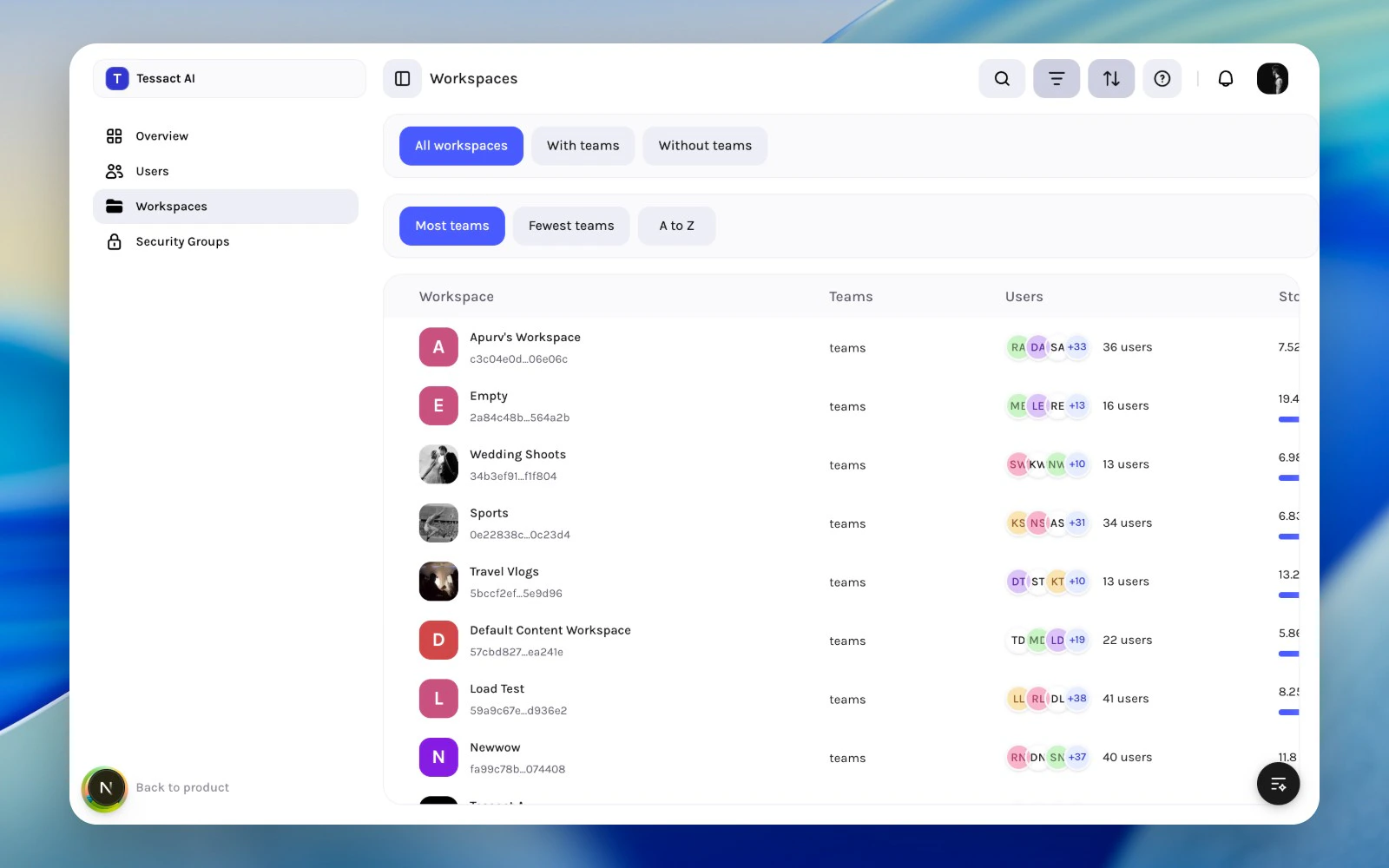
The workspace directory is a review surface. It is designed to help admins decide which workspace to open next, not to finish every investigation from one table.
 ***
## What The Directory Shows
| Column | What it tells you |
| ------------- | --------------------------------------------------------------------------------- |
| **Workspace** | Identity, title, and the easiest clue about whether the workspace is recognizable |
| **Teams** | Whether the workspace has real team structure behind it |
| **Users** | Approximate membership footprint and whether access may be broader than expected |
| **Storage** | Usage level and where capacity review may be needed |
Together, these columns help you find the workspaces that deserve deeper review.
***
## Guide: Run A Directory Review
Use the workspace search plus filter and sort controls to narrow the table before making decisions.
Focus on workspaces with weak identity, no clear operational footprint, or suspiciously low team activity.
High storage usage, broad membership, or rapid growth are signs that the workspace should be opened for a deeper admin review.
***
## Review Patterns That Work Well
### Sprawl review
Use **A to Z** to spot duplicates, naming drift, or old workspaces that should be merged or retired.
### Operational review
Use **Most teams** to find the workspaces most likely to need active governance.
### Cleanup review
Use **Without teams** to isolate workspaces that may no longer represent active work.
***
## Best Practices
* Open the workspace when the table raises a question; do not infer too much from the directory alone.
* Treat naming clarity as part of governance, not cosmetic detail.
* Review both small empty workspaces and unusually large ones.
* Use the directory regularly so workspace cleanup stays incremental.
***
## Next Steps
Return to the broader operating model behind workspace reviews.
Go deeper into access review once a workspace needs attention.
***
## What The Directory Shows
| Column | What it tells you |
| ------------- | --------------------------------------------------------------------------------- |
| **Workspace** | Identity, title, and the easiest clue about whether the workspace is recognizable |
| **Teams** | Whether the workspace has real team structure behind it |
| **Users** | Approximate membership footprint and whether access may be broader than expected |
| **Storage** | Usage level and where capacity review may be needed |
Together, these columns help you find the workspaces that deserve deeper review.
***
## Guide: Run A Directory Review
Use the workspace search plus filter and sort controls to narrow the table before making decisions.
Focus on workspaces with weak identity, no clear operational footprint, or suspiciously low team activity.
High storage usage, broad membership, or rapid growth are signs that the workspace should be opened for a deeper admin review.
***
## Review Patterns That Work Well
### Sprawl review
Use **A to Z** to spot duplicates, naming drift, or old workspaces that should be merged or retired.
### Operational review
Use **Most teams** to find the workspaces most likely to need active governance.
### Cleanup review
Use **Without teams** to isolate workspaces that may no longer represent active work.
***
## Best Practices
* Open the workspace when the table raises a question; do not infer too much from the directory alone.
* Treat naming clarity as part of governance, not cosmetic detail.
* Review both small empty workspaces and unusually large ones.
* Use the directory regularly so workspace cleanup stays incremental.
***
## Next Steps
Return to the broader operating model behind workspace reviews.
Go deeper into access review once a workspace needs attention.