> ## Documentation Index
> Fetch the complete documentation index at: https://docs.tessact.ai/llms.txt
> Use this file to discover all available pages before exploring further.
# Library Status Design
> How to structure workspace file statuses so teams can scan progress quickly.
## Overview
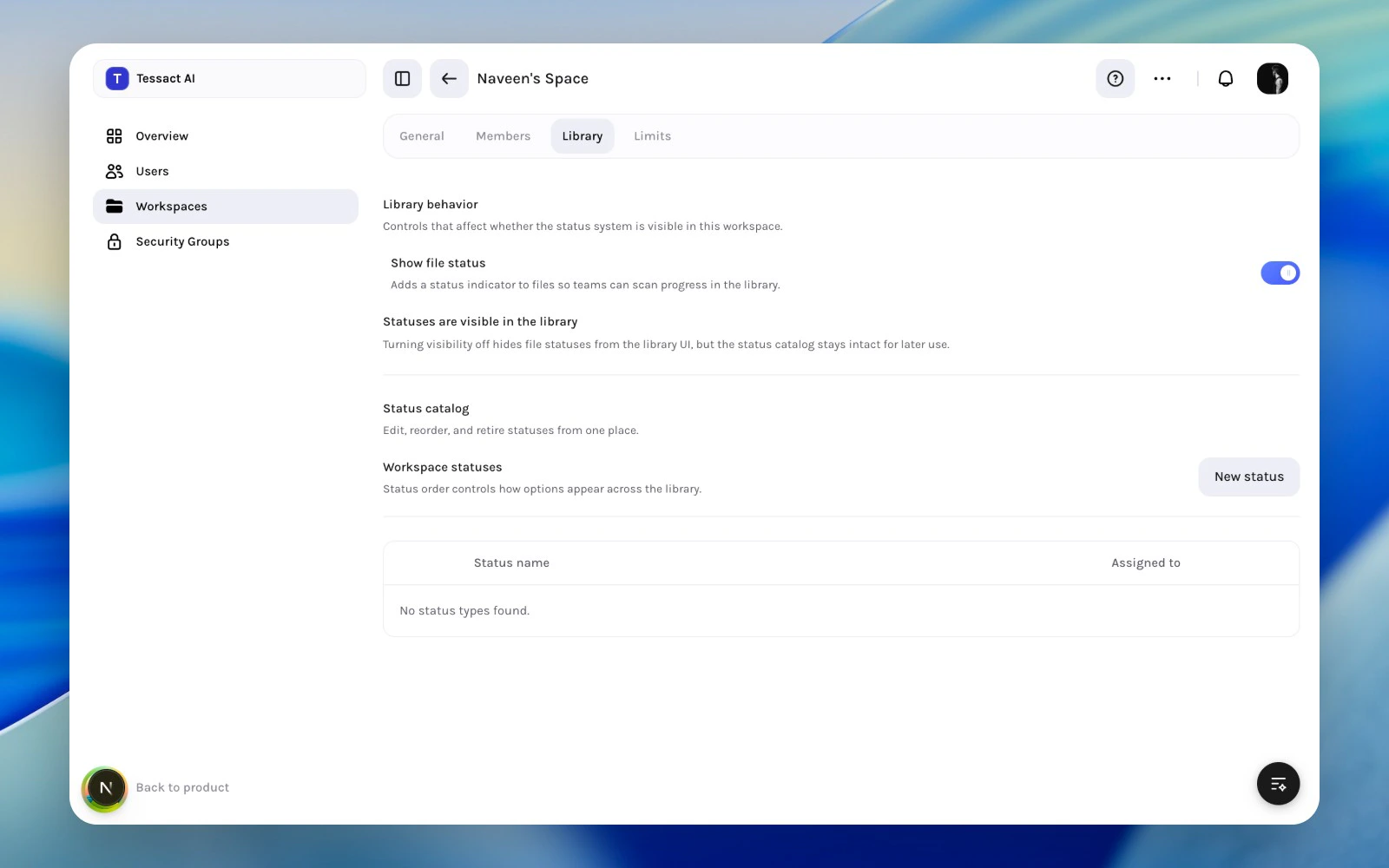
The **Library** tab controls whether file statuses are visible in the workspace and how the status catalog is designed.
 ***
## What The Library Section Controls
* whether **Show file status** is enabled
* which status types exist
* the order in which statuses appear
* the default status for new uploads
This is how admins turn status from a vague concept into a visible workspace system.
***
## Guide: Create A Clean Status Catalog
Turn on **Show file status** if teams should see progress directly in the library.
Use **New status** to define the label, icon, color, and optional default behavior.
***
## What The Library Section Controls
* whether **Show file status** is enabled
* which status types exist
* the order in which statuses appear
* the default status for new uploads
This is how admins turn status from a vague concept into a visible workspace system.
***
## Guide: Create A Clean Status Catalog
Turn on **Show file status** if teams should see progress directly in the library.
Use **New status** to define the label, icon, color, and optional default behavior.
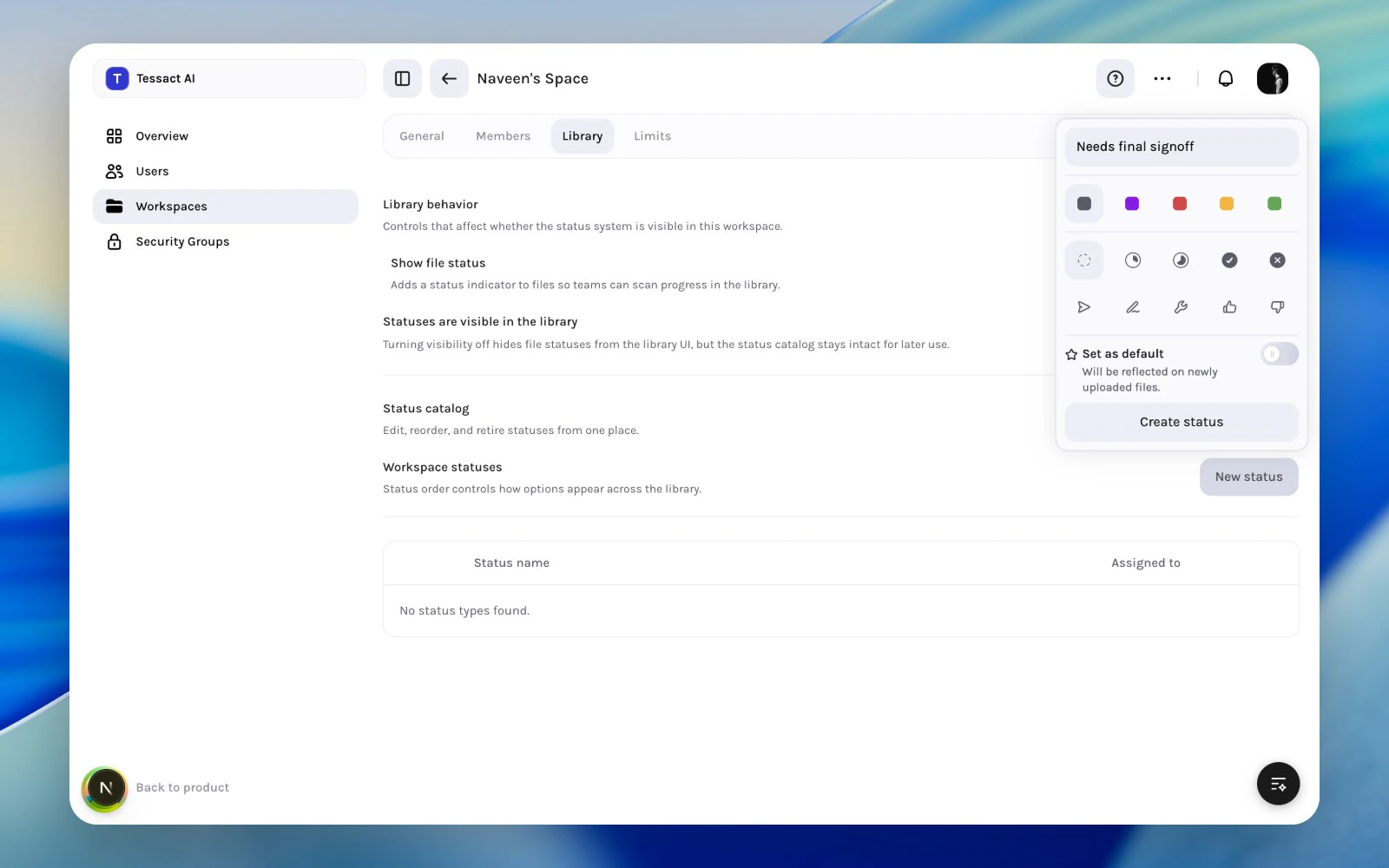 Use a small set of durable statuses rather than many overlapping labels that teams will ignore.
***
## Good Status Design Looks Like
* names that imply action or state clearly
* a small enough catalog that people can scan it quickly
* color and icon choices that help, not distract
* a sensible default for newly uploaded files
***
## Best Practices
* Build the catalog around real handoffs in the workspace.
* Keep status names short and operational.
* Retire statuses that are no longer meaningful.
* Review status design whenever the workspace workflow changes.
***
## Next Steps
Use a rollout checklist before making statuses part of team process.
See where library design fits in the wider workspace policy model.
Use a small set of durable statuses rather than many overlapping labels that teams will ignore.
***
## Good Status Design Looks Like
* names that imply action or state clearly
* a small enough catalog that people can scan it quickly
* color and icon choices that help, not distract
* a sensible default for newly uploaded files
***
## Best Practices
* Build the catalog around real handoffs in the workspace.
* Keep status names short and operational.
* Retire statuses that are no longer meaningful.
* Review status design whenever the workspace workflow changes.
***
## Next Steps
Use a rollout checklist before making statuses part of team process.
See where library design fits in the wider workspace policy model.