> ## Documentation Index
> Fetch the complete documentation index at: https://docs.tessact.ai/llms.txt
> Use this file to discover all available pages before exploring further.
# Removing Users Safely
> Checklist for removing workspace members without breaking ownership or active work.
## Overview
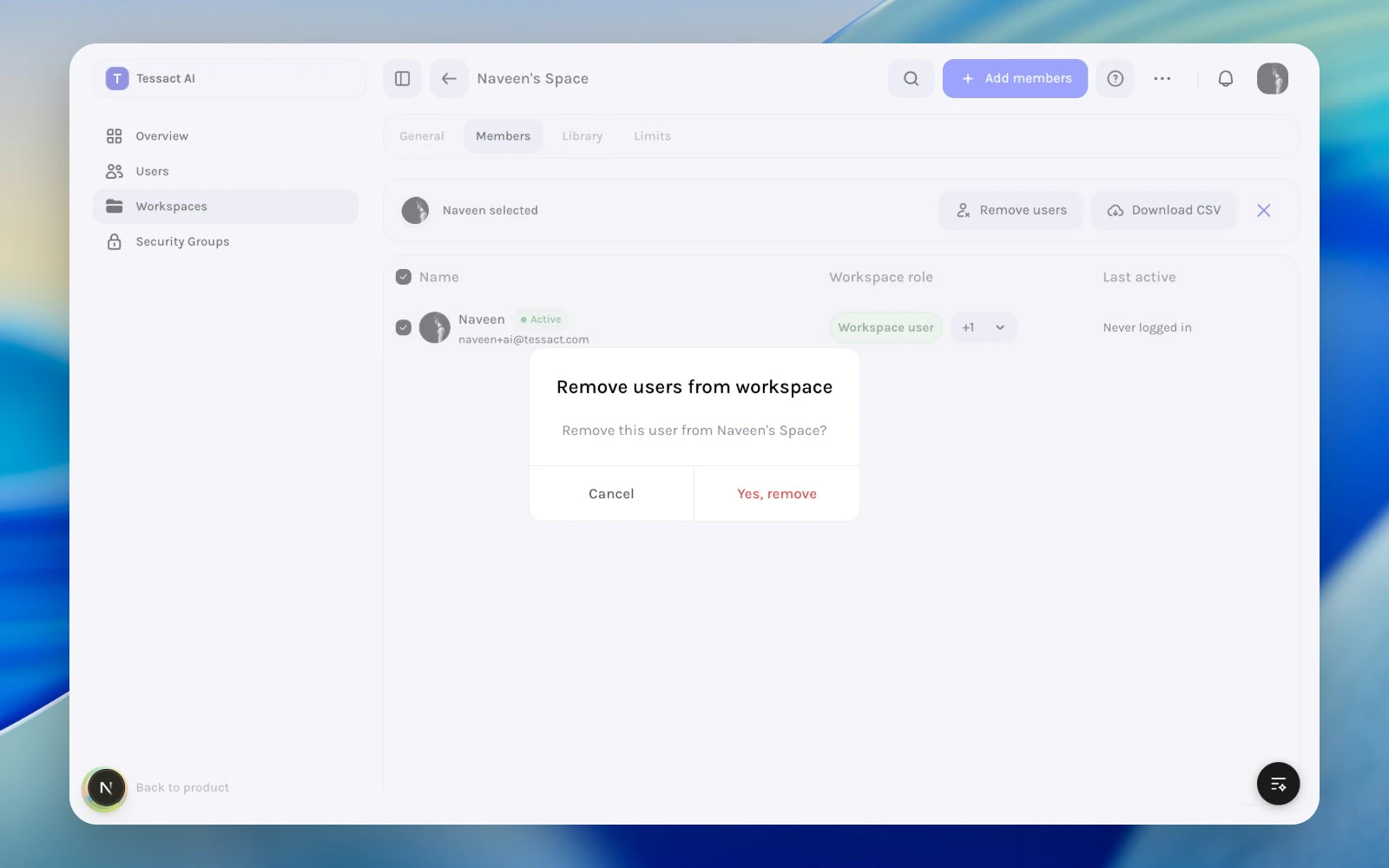
Removing a user from a workspace is more precise than deactivating the org account. Use it when the person should stay in Tessact, but should no longer work in this specific workspace.
 ***
## When Removal Is The Right Action
Remove a member when:
* they changed teams
* project work in this workspace ended
* a temporary collaborator no longer needs access
* the workspace member list has become broader than the current operating team
Do not use removal when the real issue is an org-wide access problem.
***
## Guide: Remove Members Without Causing Drift
Start from **Members**, then select the people whose workspace access should end.
Open **Remove users** from the selected-member action bar and confirm the exact removal scope.
After removal, verify whether the person still needs org access, whether ownership should move to someone else, and whether any elevated roles should be reviewed elsewhere.
***
## Safety Checklist
Before removing someone, verify:
1. they are not the only person handling an active workflow in this workspace
2. the workspace still has enough responsible members after the change
3. the change should be local to this workspace, not org-wide
***
## Best Practices
* Remove workspace access as soon as the workspace purpose no longer fits.
* Review role and ownership implications before large cleanup passes.
* Prefer workspace removal over broader account actions when the issue is local.
***
## Next Steps
Return to the full member-review flow.
Put member removals in the context of broader workspace hygiene.
***
## When Removal Is The Right Action
Remove a member when:
* they changed teams
* project work in this workspace ended
* a temporary collaborator no longer needs access
* the workspace member list has become broader than the current operating team
Do not use removal when the real issue is an org-wide access problem.
***
## Guide: Remove Members Without Causing Drift
Start from **Members**, then select the people whose workspace access should end.
Open **Remove users** from the selected-member action bar and confirm the exact removal scope.
After removal, verify whether the person still needs org access, whether ownership should move to someone else, and whether any elevated roles should be reviewed elsewhere.
***
## Safety Checklist
Before removing someone, verify:
1. they are not the only person handling an active workflow in this workspace
2. the workspace still has enough responsible members after the change
3. the change should be local to this workspace, not org-wide
***
## Best Practices
* Remove workspace access as soon as the workspace purpose no longer fits.
* Review role and ownership implications before large cleanup passes.
* Prefer workspace removal over broader account actions when the issue is local.
***
## Next Steps
Return to the full member-review flow.
Put member removals in the context of broader workspace hygiene.