> ## Documentation Index
> Fetch the complete documentation index at: https://docs.tessact.ai/llms.txt
> Use this file to discover all available pages before exploring further.
# Storage Policy Planning
> How to think about workspace storage caps, unlimited mode, and exceptions.
## Overview
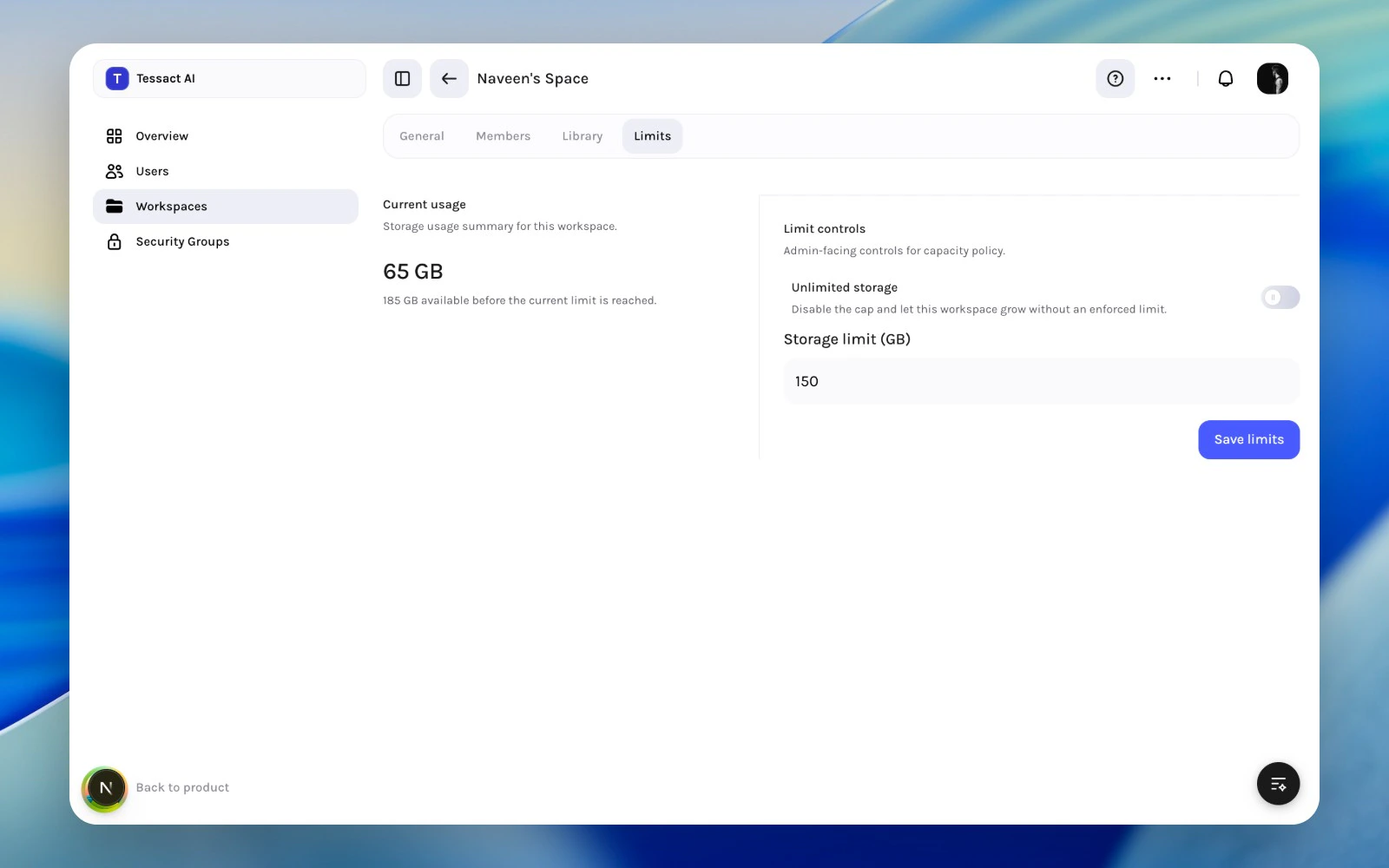
The **Limits** tab is where admins review current usage and decide whether the workspace should stay capped or run without an enforced storage ceiling.
 ***
## What This Section Controls
The current workspace limits surface covers:
* current storage usage
* whether the workspace is **Unlimited**
* the storage limit in GB when capped
In the current admin build, the save action is still mocked until the backend wiring is finished. The page is already useful for policy review and UI documentation.
***
## When To Use A Storage Cap
Use a cap when:
* the workspace has a bounded purpose
* growth should stay predictable
* admins want a clear review threshold before more storage is consumed
Use unlimited mode when:
* the workspace is expected to grow continuously
* operational friction from caps is worse than the governance benefit
* the org has already decided this workspace is a long-term high-volume surface
***
## Guide: Review Storage Policy
Use the usage summary to understand whether the workspace is still well within policy or approaching a point that needs attention.
Use **Unlimited storage** only when the operating reason is clear, not just to postpone cleanup.
If the workspace should stay capped, choose a limit that reflects realistic growth rather than a purely arbitrary number.
***
## Best Practices
* Use storage policy to reinforce workspace purpose, not to patch over weak governance.
* Review high-volume workspaces more often than static ones.
* Document exceptions when a workspace is intentionally uncapped.
***
## Next Steps
See which signals should trigger a storage review.
Pair storage policy with library behavior during workspace reviews.
***
## What This Section Controls
The current workspace limits surface covers:
* current storage usage
* whether the workspace is **Unlimited**
* the storage limit in GB when capped
In the current admin build, the save action is still mocked until the backend wiring is finished. The page is already useful for policy review and UI documentation.
***
## When To Use A Storage Cap
Use a cap when:
* the workspace has a bounded purpose
* growth should stay predictable
* admins want a clear review threshold before more storage is consumed
Use unlimited mode when:
* the workspace is expected to grow continuously
* operational friction from caps is worse than the governance benefit
* the org has already decided this workspace is a long-term high-volume surface
***
## Guide: Review Storage Policy
Use the usage summary to understand whether the workspace is still well within policy or approaching a point that needs attention.
Use **Unlimited storage** only when the operating reason is clear, not just to postpone cleanup.
If the workspace should stay capped, choose a limit that reflects realistic growth rather than a purely arbitrary number.
***
## Best Practices
* Use storage policy to reinforce workspace purpose, not to patch over weak governance.
* Review high-volume workspaces more often than static ones.
* Document exceptions when a workspace is intentionally uncapped.
***
## Next Steps
See which signals should trigger a storage review.
Pair storage policy with library behavior during workspace reviews.