> ## Documentation Index
> Fetch the complete documentation index at: https://docs.tessact.ai/llms.txt
> Use this file to discover all available pages before exploring further.
# 30 September 2025
> Precise timeline rendering, editable subtitles, strengthened metadata permissions, and stability improvements.
## Overview
This release improves **precision editing**, **subtitle workflows**, and **permission controls**. It also delivers smoother rendering and more consistent playback across devices.
***
## What's new
### Selective timeline rendering on the editor
Export only what is needed—avoid rendering the entire video. This lets you export multiple outputs from the same timeline.
Start a new **Draft** from the **Library** and add your video to the
timeline, or open an existing one.
Use I and O to set start and end for the segment you
want to export.
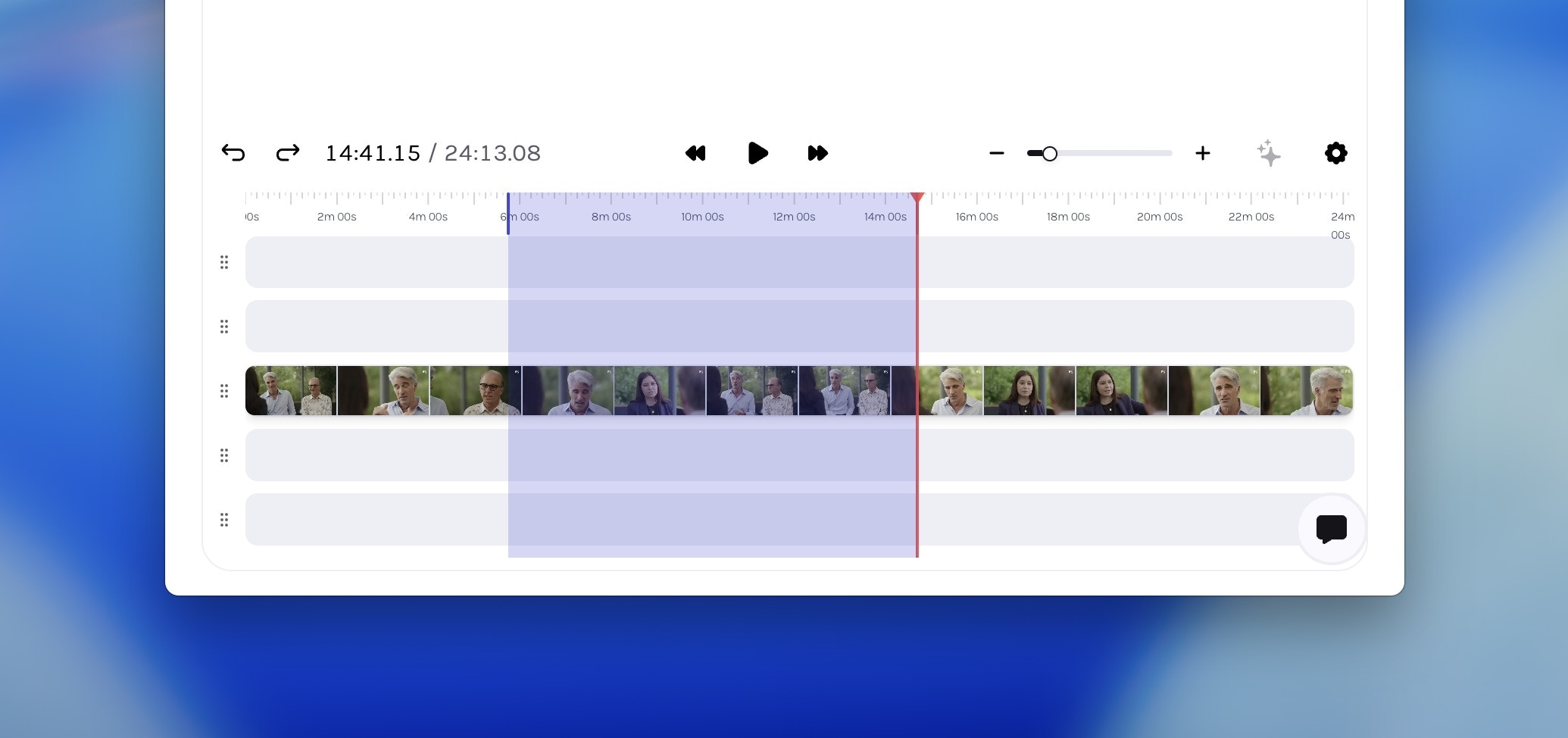 You can clear your selection anytime by pressing Esc.
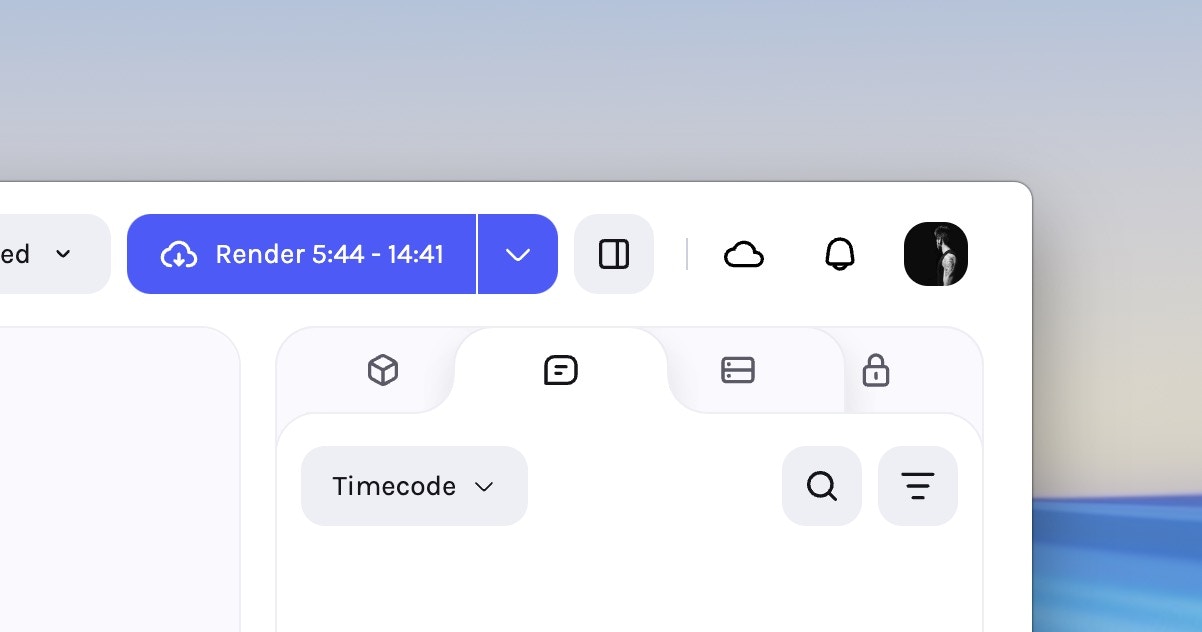
Click **Render** button on the action bar to export only the marked segment.
You can clear your selection anytime by pressing Esc.
Click **Render** button on the action bar to export only the marked segment.
 ***
### Editable subtitles
Subtitles are now **fully editable in the editor**—no external tools or re‑uploads. Fix transcription errors, refine phrasing, or localise content directly. Updates save instantly and are embedded on render.
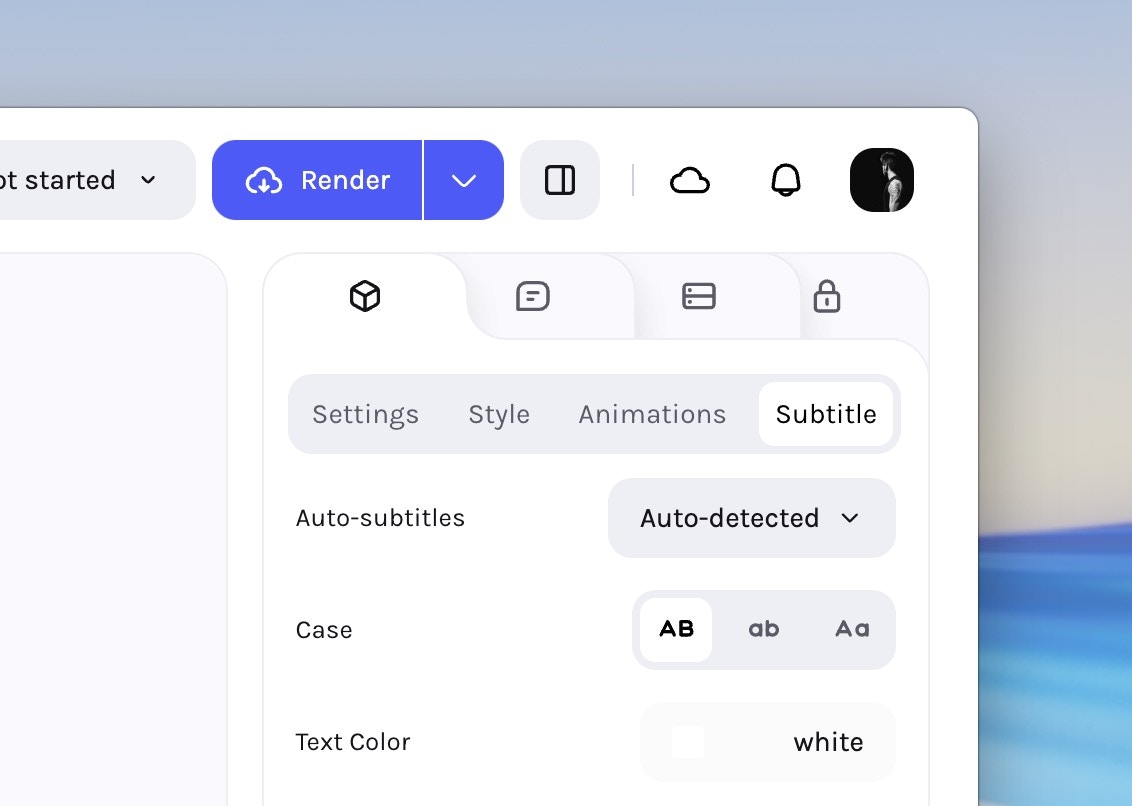
Select a clip on the timeline and open the **Properties** panel, go to the
**Subtitles** tab. Generate auto-subtitles if not already enabled.
***
### Editable subtitles
Subtitles are now **fully editable in the editor**—no external tools or re‑uploads. Fix transcription errors, refine phrasing, or localise content directly. Updates save instantly and are embedded on render.
Select a clip on the timeline and open the **Properties** panel, go to the
**Subtitles** tab. Generate auto-subtitles if not already enabled.
 Scroll down to see time-stamped captions that you can click on to edit.
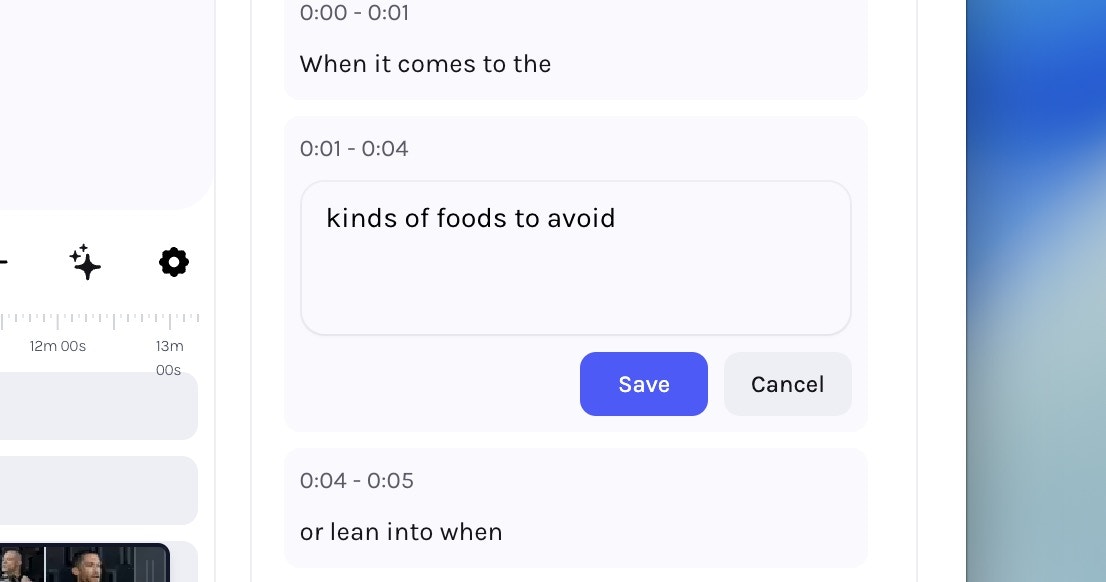 Save your changes to apply updated subtitles to your draft. This will
reflect in any renders as well.
***
## Enhancements
* Read‑only metadata permissions — Metadata fields now respect **user‑level permissions**, making selected fields visible but uneditable for restricted users.
* Numeric font‑size tooltips — Subtitle font sizes now display **numeric values** for precise adjustment.
* Metadata export improvements — Template exports now include **prompt columns** in CSV files for clearer downstream data entry and automation.
***
## Fixes & Stability
* Login redirects — Fixed an issue where logging out and then logging back in sometimes redirected to old URLs, causing access‑denied errors.
* Tree node messaging — Clearer messaging when **rename** or **cut** actions are disabled on Connected Folders.
* Subtitles in editor — Corrected bottom offset alignment; fixed overlaps when trimming from the start; resolved colour‑picker inconsistencies.
* Face‑tracked video rendering — Fixed rendering glitches for face‑tracked content in the editor.
* Mobile video playback — Vertical videos now maintain correct proportions after HLS transcoding.
***
Save your changes to apply updated subtitles to your draft. This will
reflect in any renders as well.
***
## Enhancements
* Read‑only metadata permissions — Metadata fields now respect **user‑level permissions**, making selected fields visible but uneditable for restricted users.
* Numeric font‑size tooltips — Subtitle font sizes now display **numeric values** for precise adjustment.
* Metadata export improvements — Template exports now include **prompt columns** in CSV files for clearer downstream data entry and automation.
***
## Fixes & Stability
* Login redirects — Fixed an issue where logging out and then logging back in sometimes redirected to old URLs, causing access‑denied errors.
* Tree node messaging — Clearer messaging when **rename** or **cut** actions are disabled on Connected Folders.
* Subtitles in editor — Corrected bottom offset alignment; fixed overlaps when trimming from the start; resolved colour‑picker inconsistencies.
* Face‑tracked video rendering — Fixed rendering glitches for face‑tracked content in the editor.
* Mobile video playback — Vertical videos now maintain correct proportions after HLS transcoding.
***