> ## Documentation Index
> Fetch the complete documentation index at: https://docs.tessact.ai/llms.txt
> Use this file to discover all available pages before exploring further.
# 11 November 2025
> Custom statuses in Library, multi-lingual transcript downloads, and stability improvements.
## Overview
This release introduces **Custom statuses in Library**, allowing you to create and manage custom statuses for your assets. It also adds the ability to **download transcripts** for your assets, and improves the stability of the platform.
***
## What's new
### Custom statuses in Library
You can now create and manage custom statuses for your assets in the Library. This allows you to track the progress of your assets and to manage them more effectively.
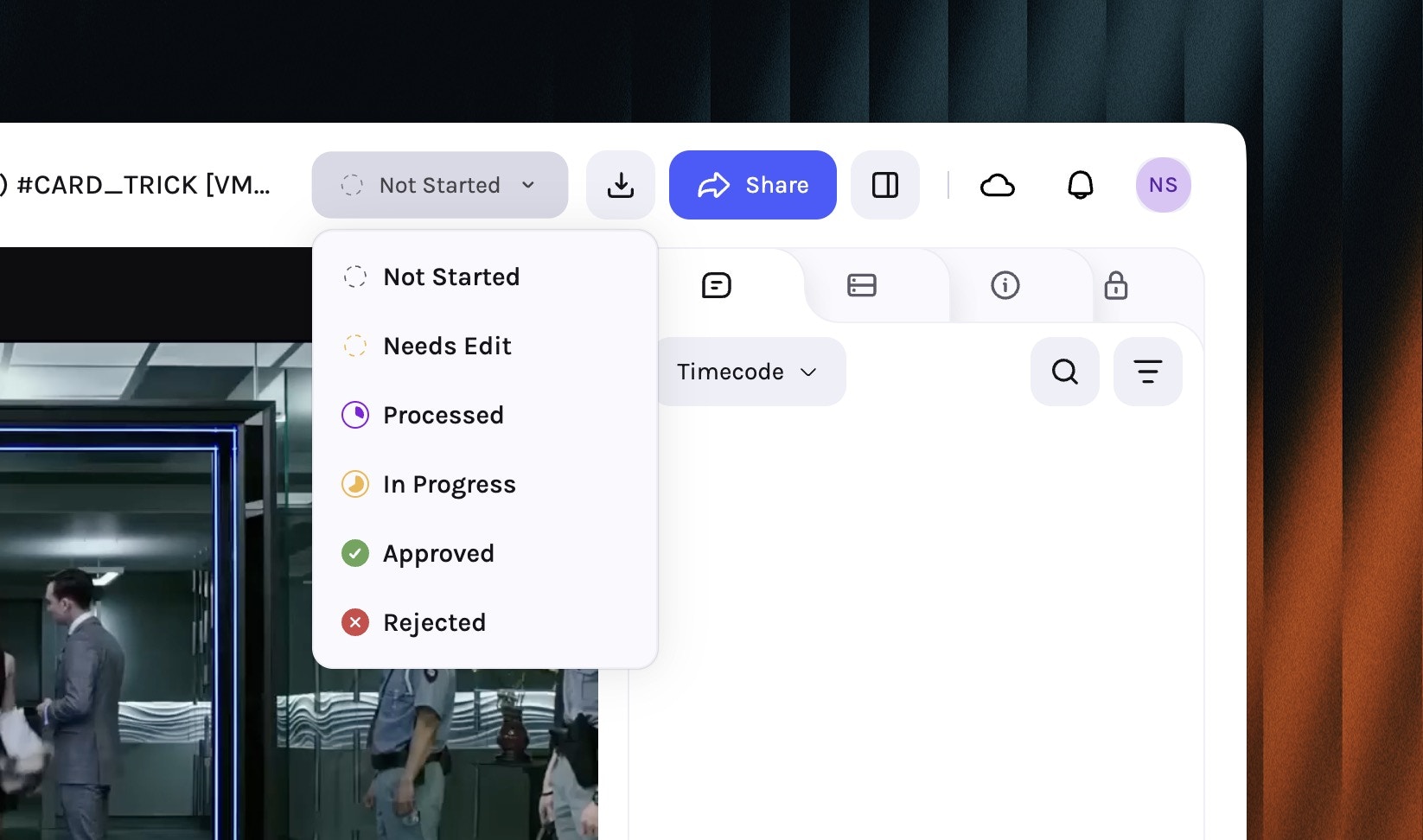 To set up custom statuses, go to **Settings → Library** and under **Statuses** you can create a new status by clicking on the **New Status** button.
Navigate to **Settings → Library** in your workspace.
To set up custom statuses, go to **Settings → Library** and under **Statuses** you can create a new status by clicking on the **New Status** button.
Navigate to **Settings → Library** in your workspace.
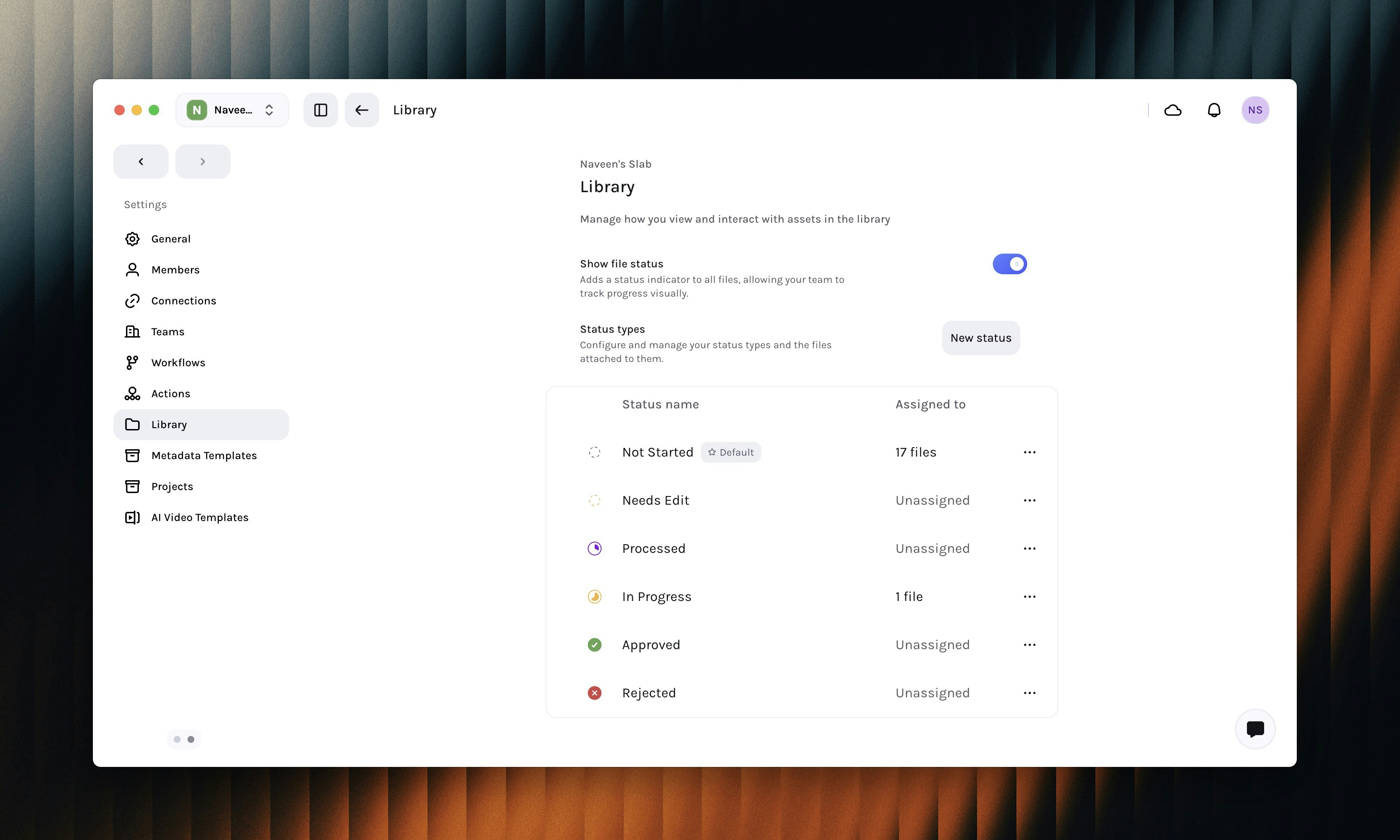 Under the **Status Types** section Click on the **New Status** button to create a new status.
Configure the status by entering a name, icon, and color.
Under the **Status Types** section Click on the **New Status** button to create a new status.
Configure the status by entering a name, icon, and color.
 Enable **Set as default** to make this status the default status for new assets.
Click on the **Create status** button to save the status.
You can also edit a status by clicking on the **three-dot** button next to the status. Statuses can also be **re-ordered** using the drag handle to the left of the status name.
***
### Multi-lingual transcript downloads
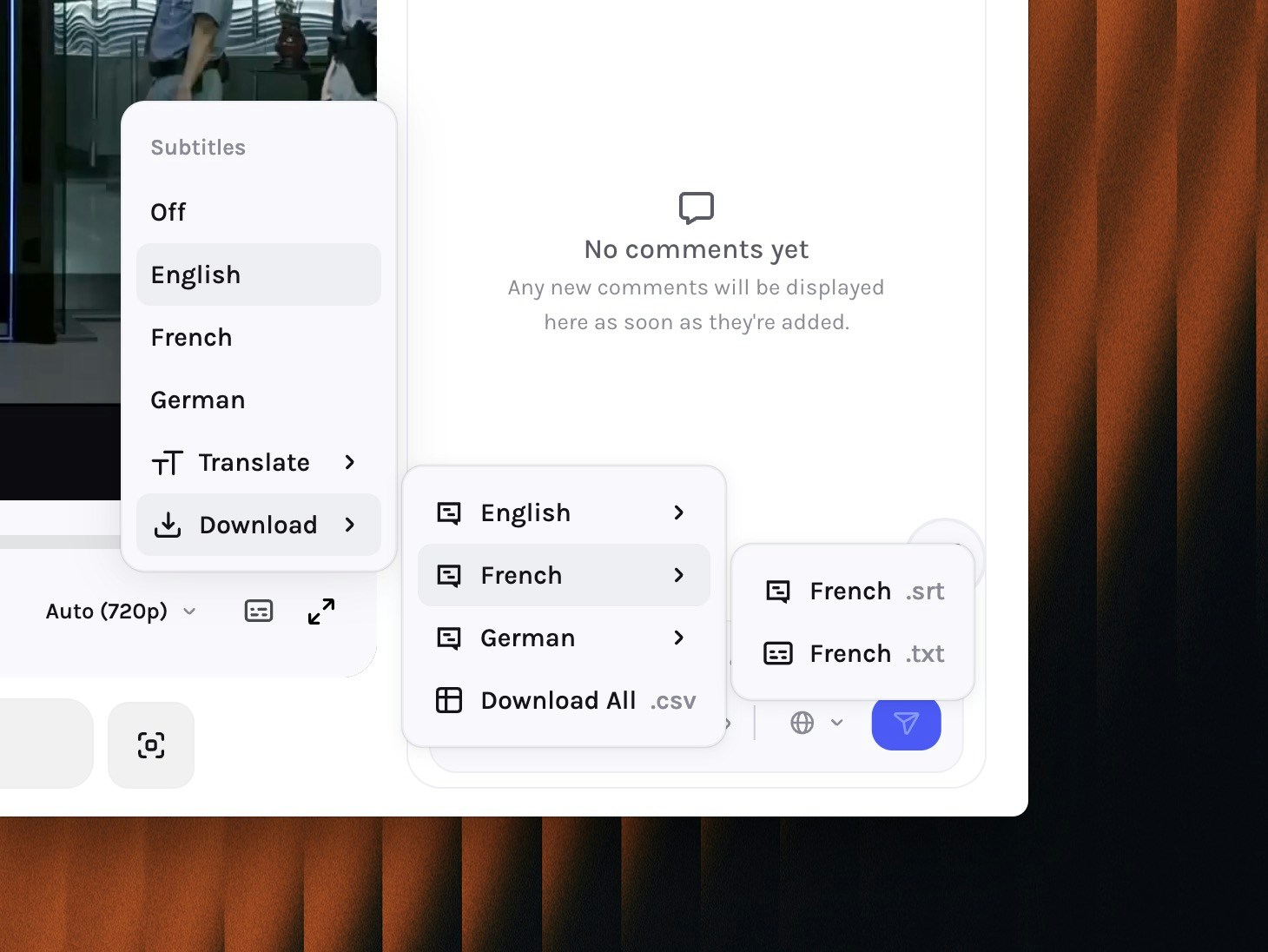
You can now download transcripts for your assets in the Library in multiple languages. This allows you to use the transcripts for your downstream use-cases.
Enable **Set as default** to make this status the default status for new assets.
Click on the **Create status** button to save the status.
You can also edit a status by clicking on the **three-dot** button next to the status. Statuses can also be **re-ordered** using the drag handle to the left of the status name.
***
### Multi-lingual transcript downloads
You can now download transcripts for your assets in the Library in multiple languages. This allows you to use the transcripts for your downstream use-cases.
 ***
## Enhancements
* User's date preferences are now **respected in file activity** instead of always showing absolute date.
* **Enhanced security** of trigger webook action.
* Added **IP detection** to prevent local and private webhook configuration on private / local IP.
* Added whitelist to allow only **Slack and Zapier** hooks, more coming soon.
***
## Fixes & Stability
* Fixed instances of **library tree not updating** when a file status is changed.
* Improved the performance of **editor** to prevent black frames when switching between cuts.
* Fixed layout and UI inconsistencies between **global tasks** and **project tasks** page.
***
## Enhancements
* User's date preferences are now **respected in file activity** instead of always showing absolute date.
* **Enhanced security** of trigger webook action.
* Added **IP detection** to prevent local and private webhook configuration on private / local IP.
* Added whitelist to allow only **Slack and Zapier** hooks, more coming soon.
***
## Fixes & Stability
* Fixed instances of **library tree not updating** when a file status is changed.
* Improved the performance of **editor** to prevent black frames when switching between cuts.
* Fixed layout and UI inconsistencies between **global tasks** and **project tasks** page.