> ## Documentation Index
> Fetch the complete documentation index at: https://docs.tessact.ai/llms.txt
> Use this file to discover all available pages before exploring further.
# Open a video draft
> Choose the workspace that contains your video draft, find it in Library, and open its editing workspace.
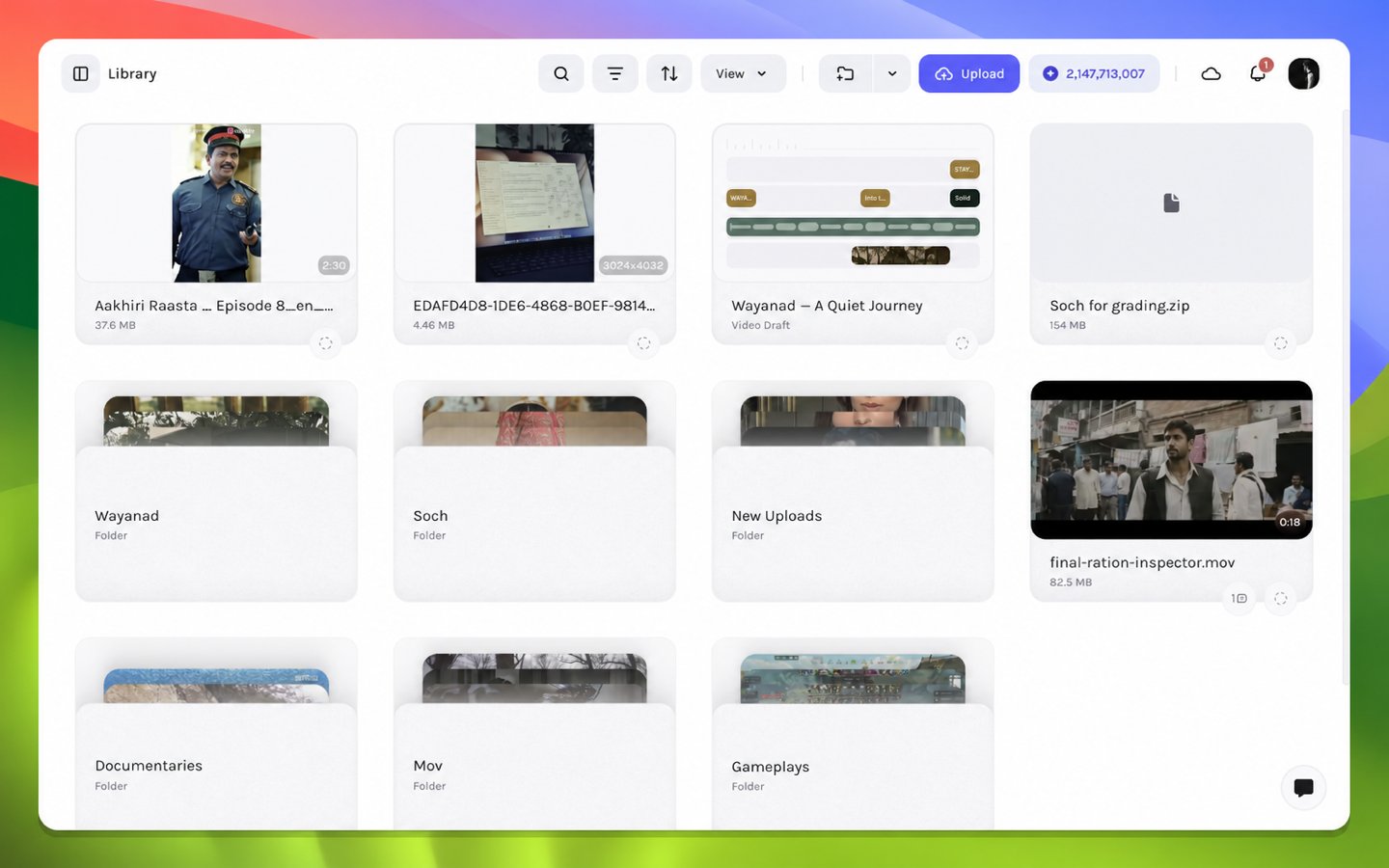
Editing begins from a video draft in **Library**. The Library record establishes the draft identity and display metadata. That identity keys a collaborative editor document whose synchronized state contains the composition, layers, timing, media references, captions, and animation data.
 ## Open a video draft
Open Tessact in a supported desktop browser and complete sign-in. Keep the browser at 100% page zoom during the first tour so the editor panels use their intended layout.
Use the workspace switcher to choose the workspace that contains your draft. Library contents, collaboration presence, and draft access are scoped to the active workspace.
Navigate to **Library** and locate your video draft. Use the visible title and thumbnail together when several drafts have similar names.
Open the draft and wait for the editor shell, media references, and timeline layers to load. The canvas may settle a moment after the surrounding controls because remote media is prepared separately.
## Confirm the correct project loaded
Check three independent signals before editing:
| Signal | Expected result |
| ----------- | --------------------------------------------------------- |
| Draft title | The selected draft title appears in the floating top bar. |
| Canvas | A landscape travel frame appears in the composition. |
| Timeline | Multiple timed layers appear below the playback controls. |
If the shell appears without content, do not begin adding replacement layers. First follow [Editor loading diagnostics](/editor/troubleshooting/editor-loading); an incomplete media load and an empty draft require different remedies.
A direct browser bookmark can return to the same draft, but Library remains the clearest way to verify the active workspace and project identity.
## What loads with the draft
Opening the Library record joins its synchronized editing document. The record supplies identity and title metadata; the collaborative draft state supplies canvas dimensions and frame rate, ordered layers, active frame intervals, type-specific properties, parent and layout relationships, keyframe tracks, and media references. Playback evaluates that state at the current frame.
Continue to the [editor tour](/editor/getting-started/editor-tour) or make a guided [first edit](/editor/getting-started/first-edit).
## Open a video draft
Open Tessact in a supported desktop browser and complete sign-in. Keep the browser at 100% page zoom during the first tour so the editor panels use their intended layout.
Use the workspace switcher to choose the workspace that contains your draft. Library contents, collaboration presence, and draft access are scoped to the active workspace.
Navigate to **Library** and locate your video draft. Use the visible title and thumbnail together when several drafts have similar names.
Open the draft and wait for the editor shell, media references, and timeline layers to load. The canvas may settle a moment after the surrounding controls because remote media is prepared separately.
## Confirm the correct project loaded
Check three independent signals before editing:
| Signal | Expected result |
| ----------- | --------------------------------------------------------- |
| Draft title | The selected draft title appears in the floating top bar. |
| Canvas | A landscape travel frame appears in the composition. |
| Timeline | Multiple timed layers appear below the playback controls. |
If the shell appears without content, do not begin adding replacement layers. First follow [Editor loading diagnostics](/editor/troubleshooting/editor-loading); an incomplete media load and an empty draft require different remedies.
A direct browser bookmark can return to the same draft, but Library remains the clearest way to verify the active workspace and project identity.
## What loads with the draft
Opening the Library record joins its synchronized editing document. The record supplies identity and title metadata; the collaborative draft state supplies canvas dimensions and frame rate, ordered layers, active frame intervals, type-specific properties, parent and layout relationships, keyframe tracks, and media references. Playback evaluates that state at the current frame.
Continue to the [editor tour](/editor/getting-started/editor-tour) or make a guided [first edit](/editor/getting-started/first-edit).