> ## Documentation Index
> Fetch the complete documentation index at: https://docs.tessact.ai/llms.txt
> Use this file to discover all available pages before exploring further.
# Timeline overview
> Understand tracks, clips, intervals, visual evidence, and frame-accurate editing.
The timeline is the temporal model of the composition. Every layer occupies a half-open frame interval: it begins at a start frame, remains active for its duration, and stops before its exclusive end frame.
```text theme={null}
active frames = [start, start + duration)
end frame = start + duration
```
This convention prevents two adjacent clips from both owning the same boundary frame.
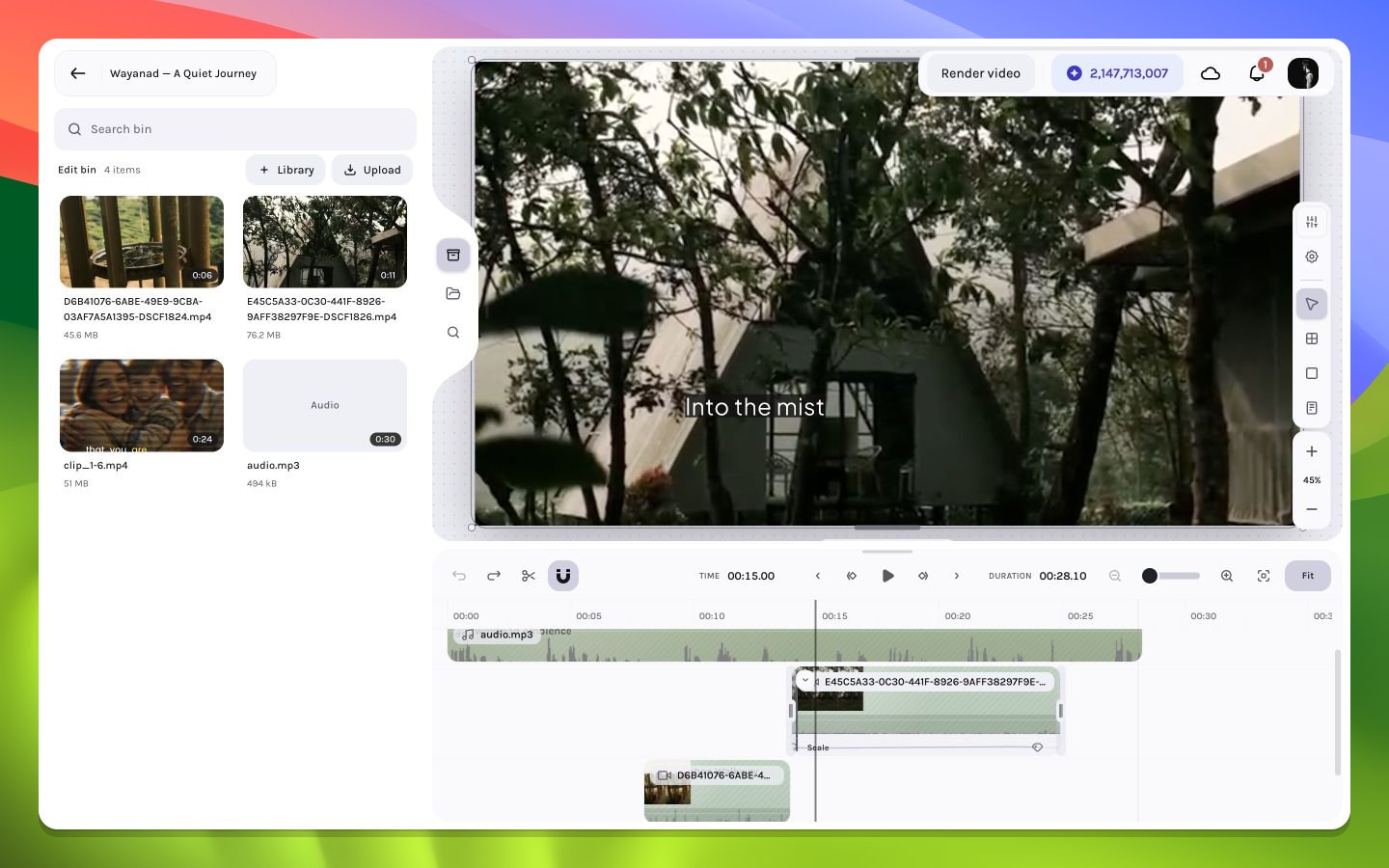 ## Read a timeline row
| Element | Meaning |
| ---------------------- | ---------------------------------------------------------------------------------------- |
| Track gutter | Track-sized target for the hide/unhide or mute/unmute context menu |
| Clip body | Active interval plus layer identity and type |
| Left and right edges | Trim boundaries |
| Filmstrip | Sampled source frames for visual orientation |
| Waveform | Sampled audio amplitude for timing cues |
| Fade handles or curves | Audio-gain or visual-opacity transition regions, depending on layer/type and handle zone |
| Keyframe lane | Property-specific animation points |
| Playhead | Composition frame currently evaluated on the canvas |
## Time domains
The timeline converts between three related domains:
1. **Composition frame** — the global project position.
2. **Layer-local frame** — composition frame minus the layer's start.
3. **Source time** — the media sample selected after trim offsets and playback-rate mapping.
When a video is trimmed from the left, its composition start can move while the first visible source sample also advances. Moving the whole clip changes composition placement but should preserve its chosen source range.
## Layer order and time
Rows encode both temporal intervals and visual stack relationships. A clip can overlap another in time yet remain invisible because it is below an opaque layer. A container row can also own child layers whose geometry and timing are resolved in the parent's context.
Read the timeline vertically to understand compositing and horizontally to understand time. Most difficult editing issues require checking both axes.
Continue with [playhead and timecode](/editor/timeline/playhead-timecode), [trimming](/editor/timeline/trim), and [zooming](/editor/timeline/zoom-resize).
## Read a timeline row
| Element | Meaning |
| ---------------------- | ---------------------------------------------------------------------------------------- |
| Track gutter | Track-sized target for the hide/unhide or mute/unmute context menu |
| Clip body | Active interval plus layer identity and type |
| Left and right edges | Trim boundaries |
| Filmstrip | Sampled source frames for visual orientation |
| Waveform | Sampled audio amplitude for timing cues |
| Fade handles or curves | Audio-gain or visual-opacity transition regions, depending on layer/type and handle zone |
| Keyframe lane | Property-specific animation points |
| Playhead | Composition frame currently evaluated on the canvas |
## Time domains
The timeline converts between three related domains:
1. **Composition frame** — the global project position.
2. **Layer-local frame** — composition frame minus the layer's start.
3. **Source time** — the media sample selected after trim offsets and playback-rate mapping.
When a video is trimmed from the left, its composition start can move while the first visible source sample also advances. Moving the whole clip changes composition placement but should preserve its chosen source range.
## Layer order and time
Rows encode both temporal intervals and visual stack relationships. A clip can overlap another in time yet remain invisible because it is below an opaque layer. A container row can also own child layers whose geometry and timing are resolved in the parent's context.
Read the timeline vertically to understand compositing and horizontally to understand time. Most difficult editing issues require checking both axes.
Continue with [playhead and timecode](/editor/timeline/playhead-timecode), [trimming](/editor/timeline/trim), and [zooming](/editor/timeline/zoom-resize).