> ## Documentation Index
> Fetch the complete documentation index at: https://docs.tessact.ai/llms.txt
> Use this file to discover all available pages before exploring further.
# Workspace Settings
> Manage your workspace-wide configuration in Tessact, from general branding and timezone controls to library, members, workflows, and integrations.
## Overview
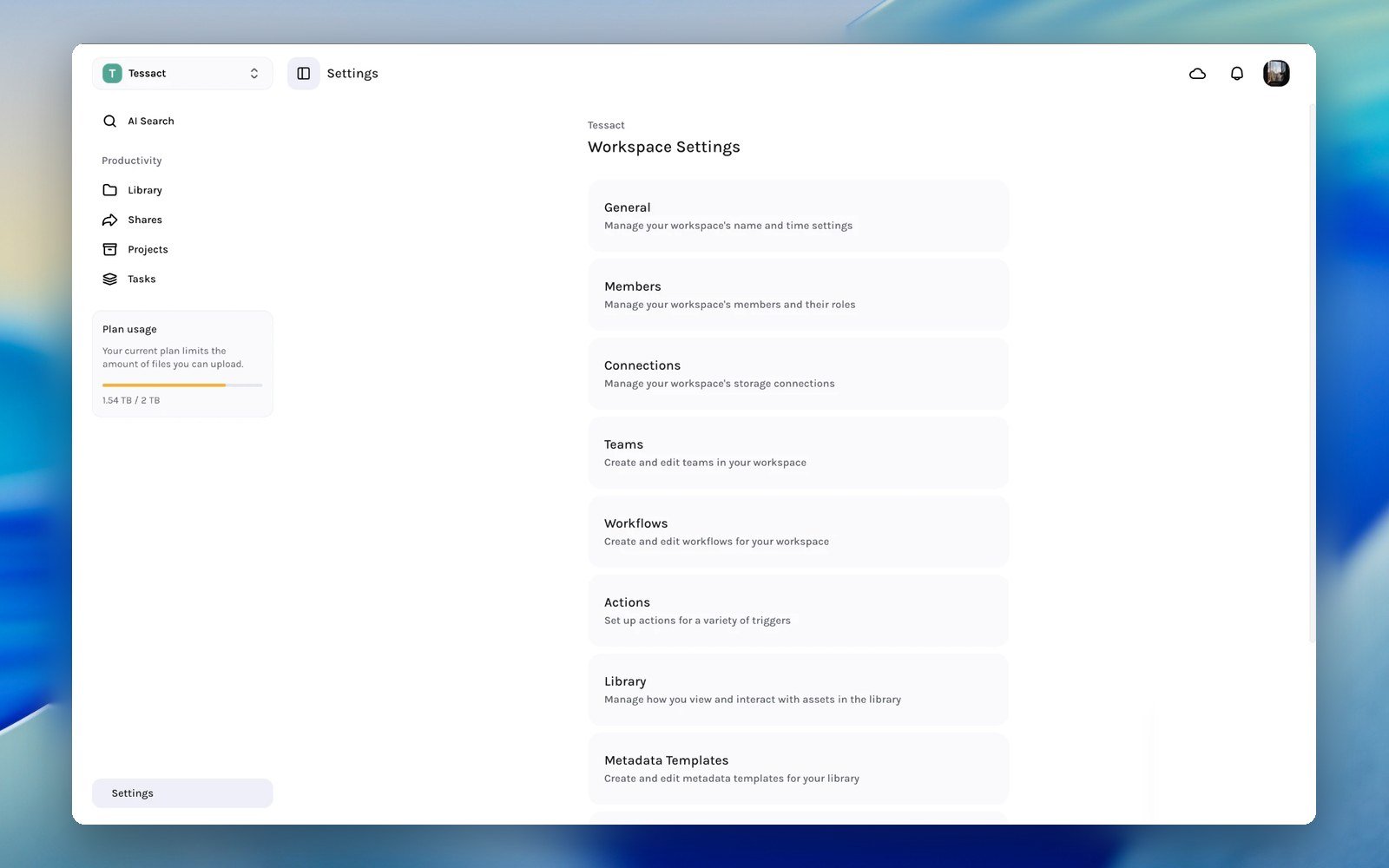
Workspace settings are the controls that affect how a shared Tessact workspace behaves for everyone inside it. Open **Settings** from the main navigation to configure branding, membership, library behavior, connected tools, and other workspace-level systems.
 Unlike personal preferences, these settings apply at the workspace level and usually require workspace or organization permissions.
***
## Open Workspace Settings
1. Open any workspace in Tessact.
2. Click **Settings** in the left navigation.
3. Select the area you want to manage from the settings hub or sidebar.
The settings hub acts as the directory for all workspace-level configuration, while the sidebar keeps the main sections available as you move deeper into settings.
***
## What Lives In Workspace Settings
The exact sections visible to you depend on your permissions and subscription plan.
| Section | What it controls | Availability |
| ---------------------- | ----------------------------------------------------------------------- | ------------------------------------------- |
| **General** | Workspace logo, name, timezone, watermarking, and other shared defaults | Available broadly |
| **Members** | Add users, search members, and manage workspace roles | Available broadly |
| **Teams** | Team creation and organization inside the workspace | Pro and Enterprise |
| **Connections** | Storage and external content connections | Enterprise |
| **Workflows** | Workspace workflow configuration | Enterprise |
| **Actions** | Trigger-based automations and actions | Enterprise |
| **Library** | File status visibility and status management | Enterprise |
| **Metadata Templates** | Reusable metadata schemas for library workflows | Enterprise |
| **Projects** | Workspace-level project configuration | Enterprise |
| **AI Video Templates** | Templates used across workspace video generation flows | Enterprise |
| **Social Accounts** | Channel groups and publishing connections | Available when social publishing is enabled |
If a section is missing, the most common reason is plan level or permissions. Tessact only exposes settings that the current user can actually act on.
***
## General Settings
The **General** page is the main place for shared workspace identity and default behavior.
Unlike personal preferences, these settings apply at the workspace level and usually require workspace or organization permissions.
***
## Open Workspace Settings
1. Open any workspace in Tessact.
2. Click **Settings** in the left navigation.
3. Select the area you want to manage from the settings hub or sidebar.
The settings hub acts as the directory for all workspace-level configuration, while the sidebar keeps the main sections available as you move deeper into settings.
***
## What Lives In Workspace Settings
The exact sections visible to you depend on your permissions and subscription plan.
| Section | What it controls | Availability |
| ---------------------- | ----------------------------------------------------------------------- | ------------------------------------------- |
| **General** | Workspace logo, name, timezone, watermarking, and other shared defaults | Available broadly |
| **Members** | Add users, search members, and manage workspace roles | Available broadly |
| **Teams** | Team creation and organization inside the workspace | Pro and Enterprise |
| **Connections** | Storage and external content connections | Enterprise |
| **Workflows** | Workspace workflow configuration | Enterprise |
| **Actions** | Trigger-based automations and actions | Enterprise |
| **Library** | File status visibility and status management | Enterprise |
| **Metadata Templates** | Reusable metadata schemas for library workflows | Enterprise |
| **Projects** | Workspace-level project configuration | Enterprise |
| **AI Video Templates** | Templates used across workspace video generation flows | Enterprise |
| **Social Accounts** | Channel groups and publishing connections | Available when social publishing is enabled |
If a section is missing, the most common reason is plan level or permissions. Tessact only exposes settings that the current user can actually act on.
***
## General Settings
The **General** page is the main place for shared workspace identity and default behavior.
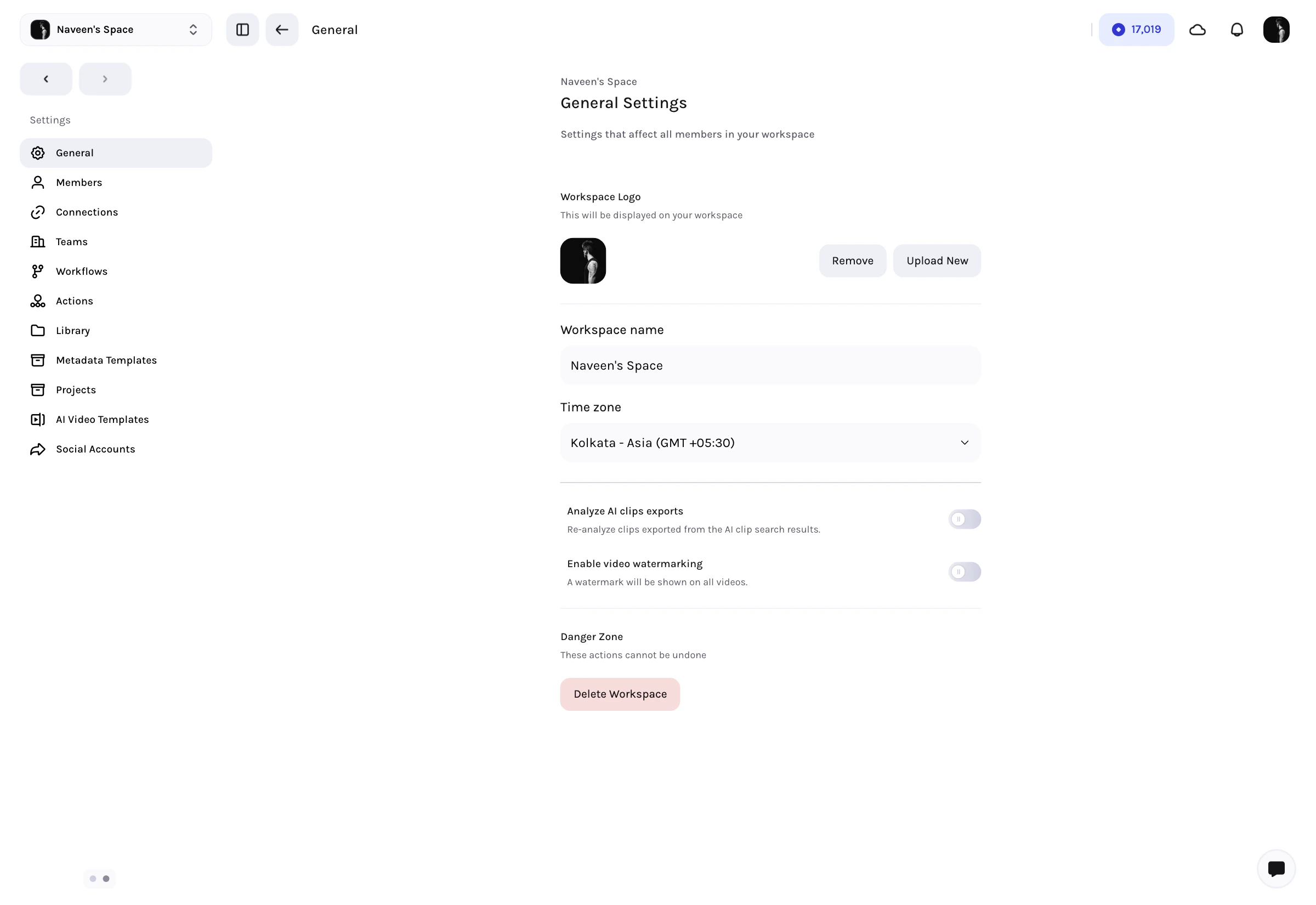 On this page you can:
* Upload or remove the **workspace logo**
* Rename the **workspace**
* Set the shared **timezone**
* Control whether **AI clip exports** are analyzed again
* Enable **video watermarking**
* Set **custom watermark text** when watermarking is enabled
* Delete the workspace if your role allows it
Workspace deletion is a destructive action. Tessact places it in a dedicated danger zone and requires confirmation.
***
## Library Settings
The **Library** settings page controls how status-based workflow appears across the workspace.
On this page you can:
* Upload or remove the **workspace logo**
* Rename the **workspace**
* Set the shared **timezone**
* Control whether **AI clip exports** are analyzed again
* Enable **video watermarking**
* Set **custom watermark text** when watermarking is enabled
* Delete the workspace if your role allows it
Workspace deletion is a destructive action. Tessact places it in a dedicated danger zone and requires confirmation.
***
## Library Settings
The **Library** settings page controls how status-based workflow appears across the workspace.
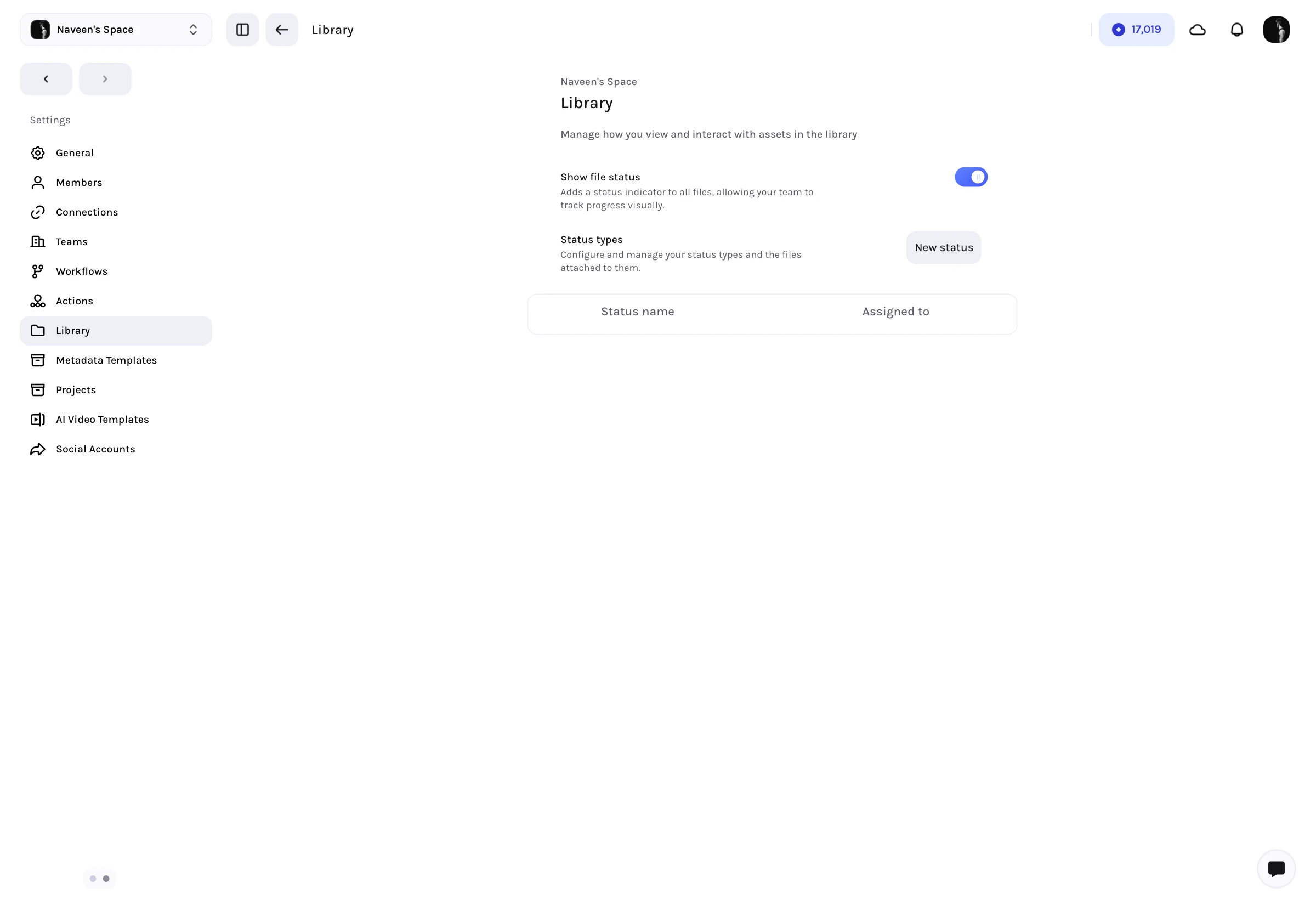 Key controls include:
* **Show file status** to expose status indicators across library views
* Create **new statuses**
* Reorder statuses with drag-and-drop
* Edit how statuses are named and displayed
* Track how many files are currently assigned to each status
These settings matter because they change the operational layer of the Library itself. Once enabled, statuses become part of how teams sort, filter, and review content.
***
## Members, Teams, And Access Structure
Workspace membership is managed from **Members** and, on supported plans, **Teams**.
* Use **Members** to search the workspace roster, add users, assign workspace roles, and remove users.
* Use **Teams** when you need reusable groups inside the workspace rather than only individual assignments.
This is the operational access layer inside a workspace. It is distinct from the user's own profile and personal preferences.
***
## Workflow, Metadata, And Connected Systems
On higher-tier plans, the settings area becomes the workspace control center for production systems:
* **Connections** for storage and external sources
* **Workflows** for repeatable process orchestration
* **Actions** for triggered automation
* **Metadata Templates** for reusable library schema
* **Projects** for workspace-level project setup
* **AI Video Templates** for reusable generation and editing patterns
* **Social Accounts** for publishing groups and outbound posting connections
These sections are where Tessact starts to look less like a single media app and more like a configurable media operations platform.
***
## Best Practices
* Use **General** settings first when standing up a new workspace.
* Turn on **Library statuses** only after agreeing on a workflow vocabulary across the team.
* Keep **member roles** clean before adding advanced workflow or publishing setup.
* Treat **workflow, metadata, and connection** settings as shared infrastructure, not per-user preferences.
***
## Next steps
Learn how profile, appearance, notifications, and time settings work for each user.
Go deeper on status design after enabling library status controls.
Key controls include:
* **Show file status** to expose status indicators across library views
* Create **new statuses**
* Reorder statuses with drag-and-drop
* Edit how statuses are named and displayed
* Track how many files are currently assigned to each status
These settings matter because they change the operational layer of the Library itself. Once enabled, statuses become part of how teams sort, filter, and review content.
***
## Members, Teams, And Access Structure
Workspace membership is managed from **Members** and, on supported plans, **Teams**.
* Use **Members** to search the workspace roster, add users, assign workspace roles, and remove users.
* Use **Teams** when you need reusable groups inside the workspace rather than only individual assignments.
This is the operational access layer inside a workspace. It is distinct from the user's own profile and personal preferences.
***
## Workflow, Metadata, And Connected Systems
On higher-tier plans, the settings area becomes the workspace control center for production systems:
* **Connections** for storage and external sources
* **Workflows** for repeatable process orchestration
* **Actions** for triggered automation
* **Metadata Templates** for reusable library schema
* **Projects** for workspace-level project setup
* **AI Video Templates** for reusable generation and editing patterns
* **Social Accounts** for publishing groups and outbound posting connections
These sections are where Tessact starts to look less like a single media app and more like a configurable media operations platform.
***
## Best Practices
* Use **General** settings first when standing up a new workspace.
* Turn on **Library statuses** only after agreeing on a workflow vocabulary across the team.
* Keep **member roles** clean before adding advanced workflow or publishing setup.
* Treat **workflow, metadata, and connection** settings as shared infrastructure, not per-user preferences.
***
## Next steps
Learn how profile, appearance, notifications, and time settings work for each user.
Go deeper on status design after enabling library status controls.