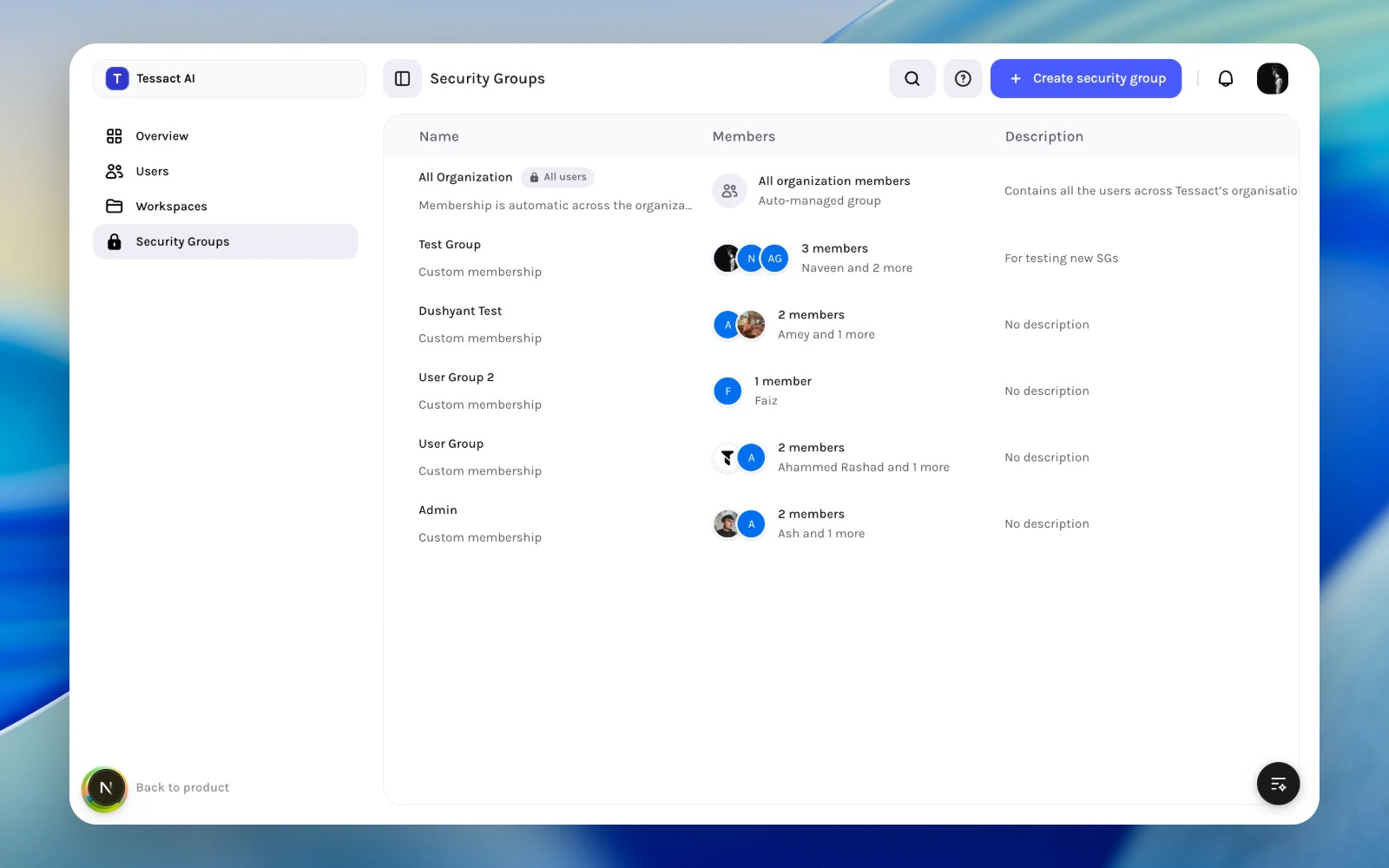
Security Groups let admins define reusable membership cohorts at the organization level. In the current admin model, Tessact keeps this surface intentionally lightweight:
create a group
describe what it is for
manage who belongs to it
review default versus custom groups
This page is not a full policy builder. It is a clean membership model for admins who need reusable cohorts without heavy entitlement logic inside the same screen.
Security groups directory with default and custom groups
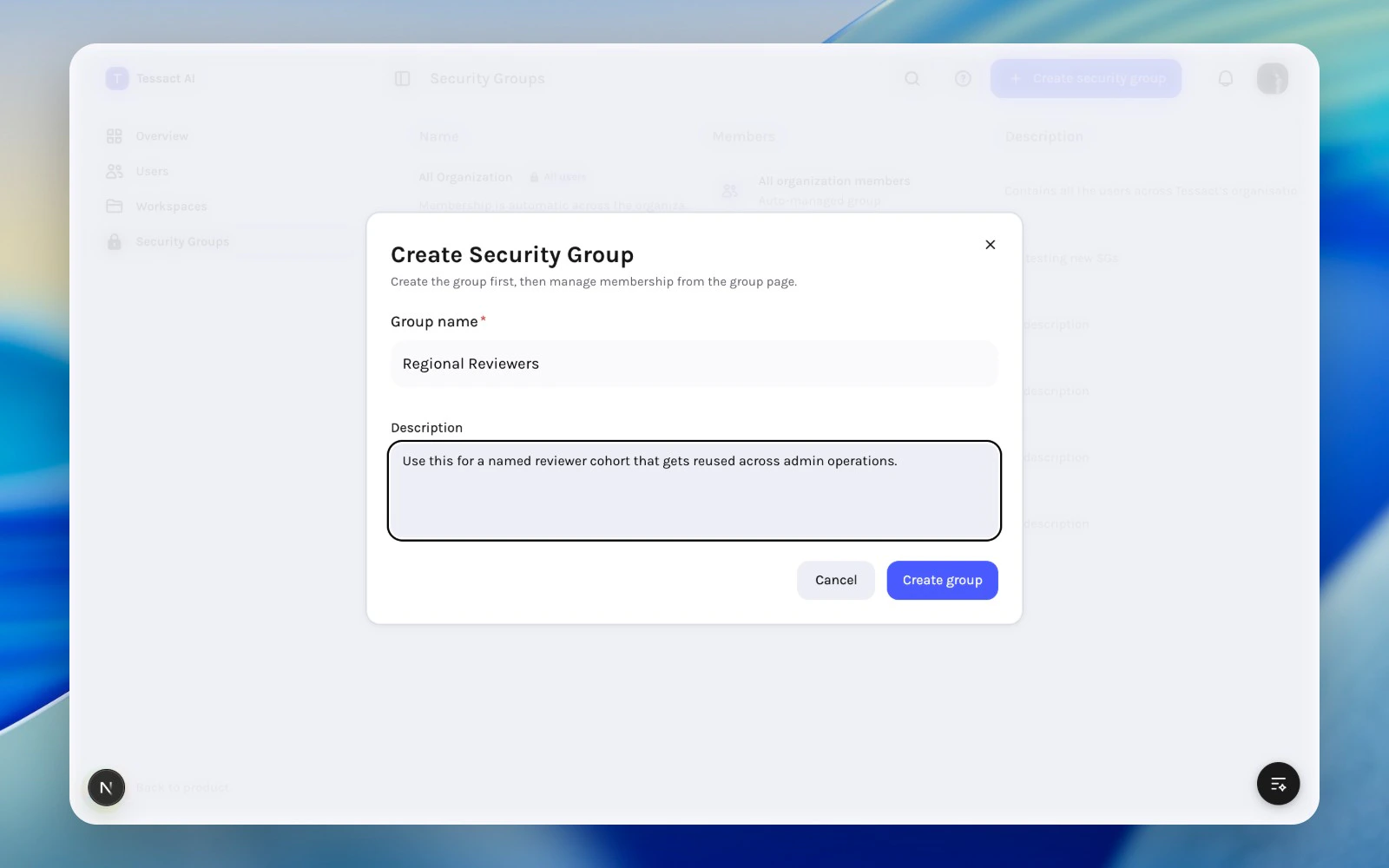
Use Create security group from the action bar.The creation flow captures:
group name
description
After the group exists, Tessact takes you to the group page so you can manage membership there. This keeps creation and membership review separated into two clear steps.
1
Review the existing directory first
Search the security groups directory before creating anything. This helps you avoid duplicate groups with overlapping names or unclear purposes.
2
Create the group with a specific purpose
Use Create security group, then give the group a clear operational name and a description that explains who belongs in it.
Create security group modal with name and description
3
Use the group page for membership changes
After creation, continue on the group detail page to add or remove members. Keep the description specific enough that another admin could maintain the same cohort later.
Descriptions matter here. A group named Reviewers without a clear description ages badly. A group with a specific purpose is much easier to govern later.