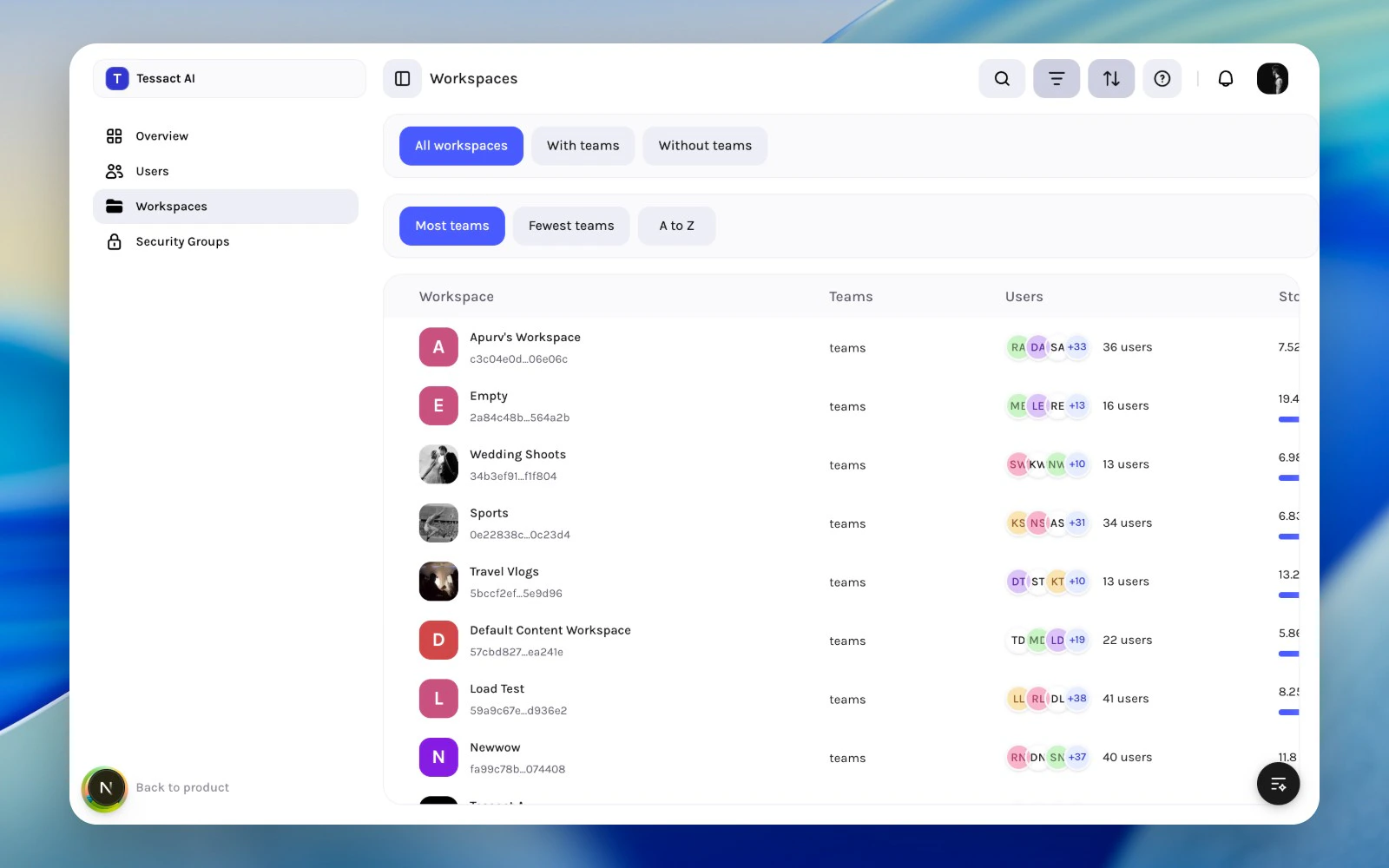
The Workspaces directory is where org admins review the workspace layer as a system, not just one workspace at a time. It answers three recurring questions:
which workspaces are active and operational
which ones look under-owned or under-used
where storage and membership review should happen next
Workspace directory with review filters and sort controls
Open Admin → Workspaces to review the full org-level workspace list instead of checking each workspace in isolation.
2
Use filters and sort to shape the review
The directory supports quick segmentation such as All workspaces, With teams, and Without teams, plus sort options like Most teams, Fewest teams, and A to Z.
Workspace directory with filter and sort bars expanded
3
Open the workspace that needs attention
Use the table as triage. When a workspace looks risky, empty, overprovisioned, or unclear, open it and continue the review in General, Members, Library, or Limits.