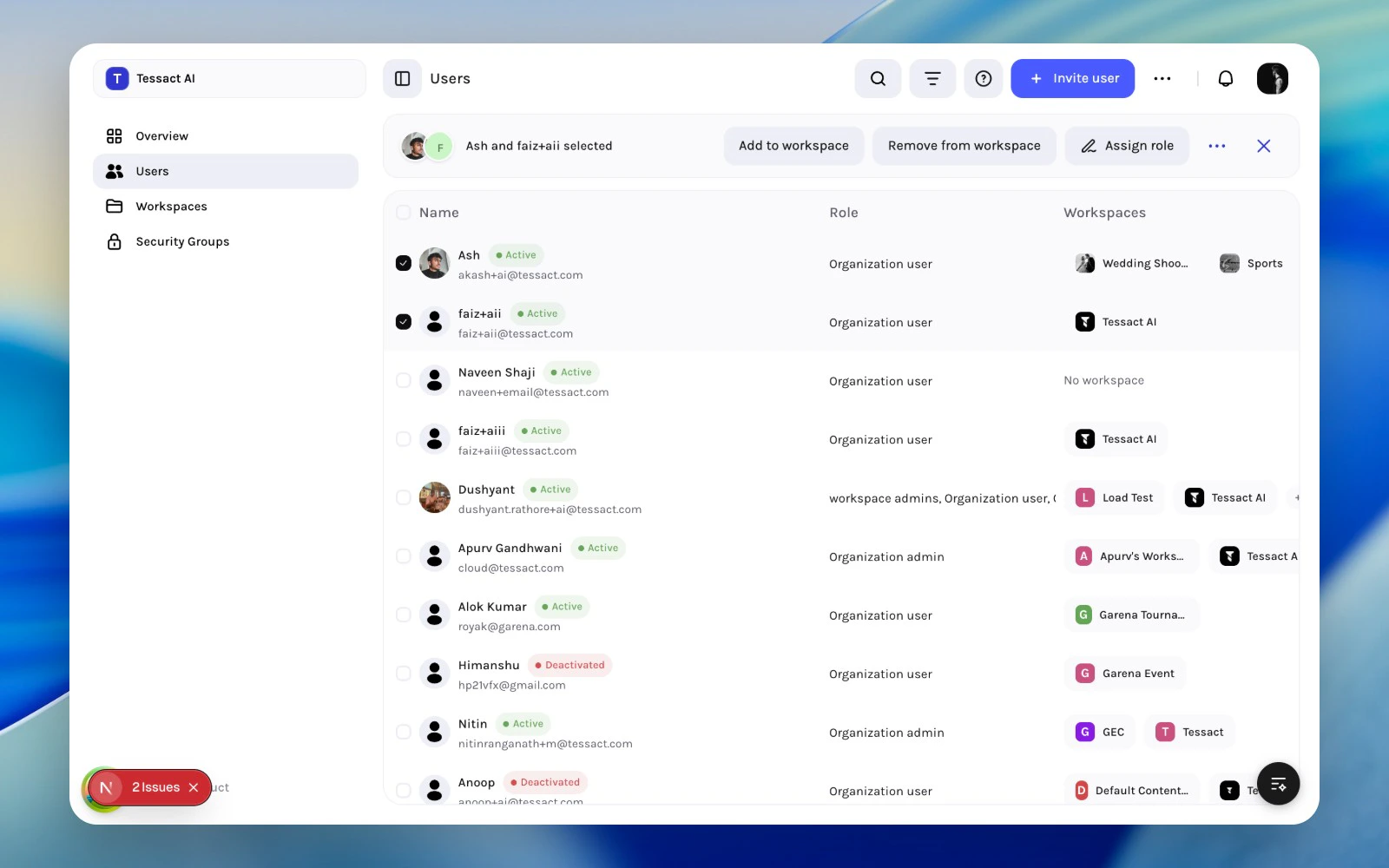
The Users directory is designed for batch admin work, not only one-off user edits. Once you select one or more users, Tessact exposes bulk actions for the most common org admin jobs.This is the fastest path for repeated operations such as onboarding, cleanup, and access correction.
This is safer than updating roles ad hoc over time because it keeps role changes intentional and visible.
1
Create a clean selection first
Search or filter the directory until the cohort is unambiguous, then select the matching users from the table.
Bulk selection state before opening a role update
2
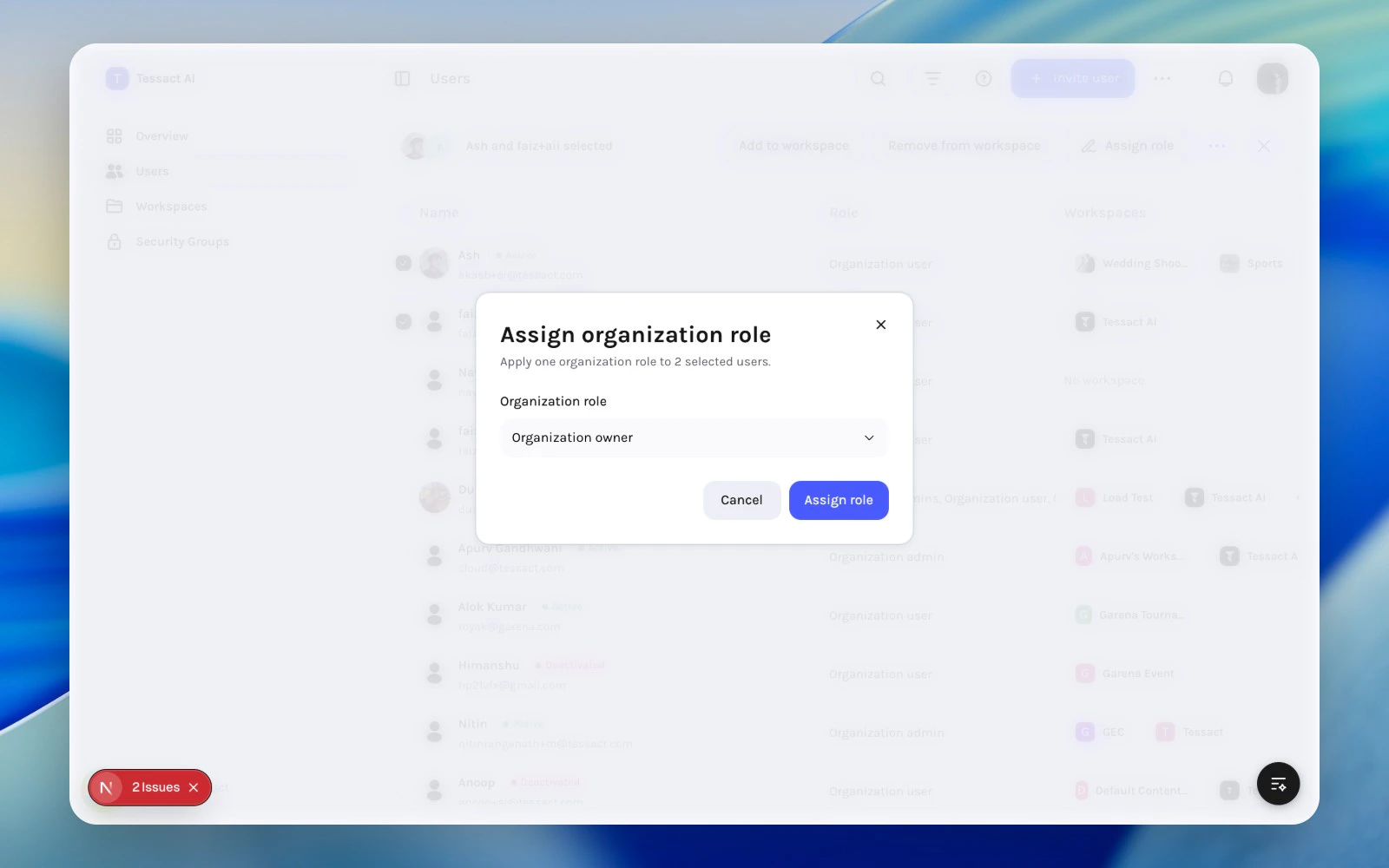
Open the role assignment modal
Click Assign role from the selected-user action bar. Tessact applies one organization role across the entire selected cohort.
Assign role modal for selected users
3
Apply only when the scope is intentional
Double-check that the selected users share the same intended admin responsibility. Organization role changes have broader impact than workspace membership changes, so they should stay deliberate and reviewable.
Bulk actions are powerful because they compress admin time, but they also increase blast radius.Before applying a bulk change:
confirm the filters are still correct
check how many users are selected
verify whether the action changes org role, workspace membership, or account status
Bulk actions are best for repeatable, well-understood changes. If a case is ambiguous, open the user first and inspect the details sheet before changing it.