

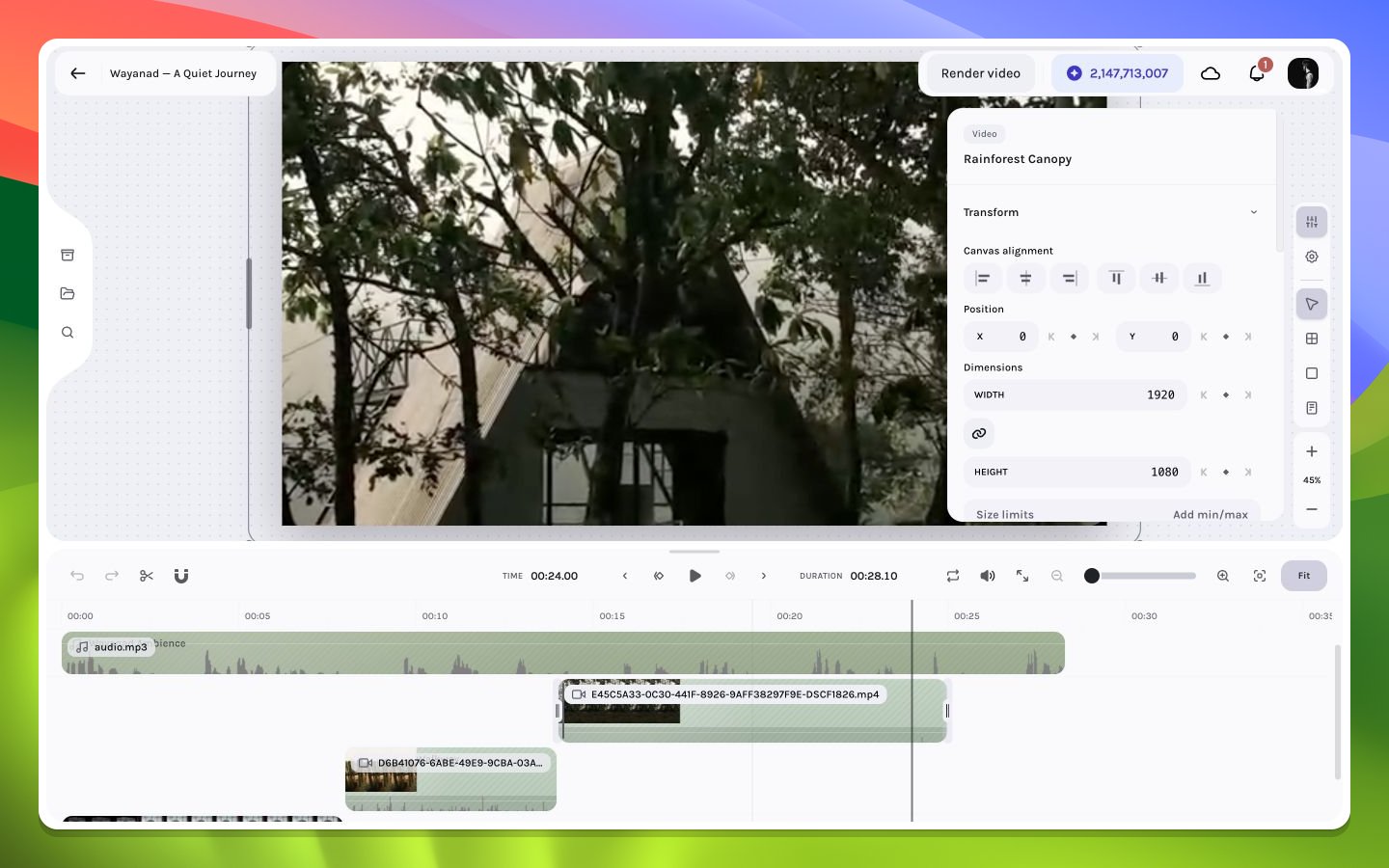
Exact transform values for a selected video layer
Move
Drag inside a selected layer to reposition it. Hold Shift to lock movement to the dominant axis, Ctrl to suppress canvas snapping for the gesture, or Option/Alt at drag start to duplicate and move the copy. Alignment guides appear near composition edges and centers when snapping is active. For exact placement, edit horizontal and vertical position values in Transform. UseCmd/Ctrl+Option/Alt+Arrow to nudge selected visual layers by 1 px; add Shift for 10 px. Audio-only layers are excluded from canvas nudging.
Resize
Use corner handles for two-axis resizing and edge handles for one-axis changes. Keep Aspect Ratio links width and height so changing one dimension derives the other. Disable it when the design intentionally stretches a solid or frame; use caution with images and video because non-proportional geometry can distort content.Rotate
Enter an angle in the inspector’s Rotation field, or use Rotate Right for an exact 90° step. The canvas does not expose a rotation handle. Rotation occurs around the layer’s transform origin and can make rendered pixels extend beyond the authored width/height box. Current canvas snapping ignores rotation and scale, using the crop-adjusted unrotated base box, so a guide does not guarantee that rotated pixels align.Animated geometry
If a geometry property already has a keyframe track, editing it at a different playhead frame upserts the value for that frame rather than silently flattening the track. When specific keyframes are selected, a geometry gesture can apply to those selected frame points. Always inspect the keyframe lane after a major canvas move.Numeric input techniques
Numeric controls support keyboard stepping and drag-to-adjust behavior. Their tooltips document precision modifiers: arrow keys step the value, Shift uses a larger step, and Option/Alt enables a fine decimal step where supported. Label scrubbing maps each10 px of pointer travel to one normal step; Shift multiplies that step by 10, while Option/Alt divides it by 10. Scrubbing previews without adding undo entries and commits once on pointer-up.
Typed numeric edits preview immediately, then finalize after roughly 500 ms idle or at the end of arrow-key stepping. In this shared control, Escape commits a pending valid value and blurs just like Enter; it is not a revert gesture. Use Undo after the commit when you need the prior value.
See transforms in depth, snapping, and animatable properties.