

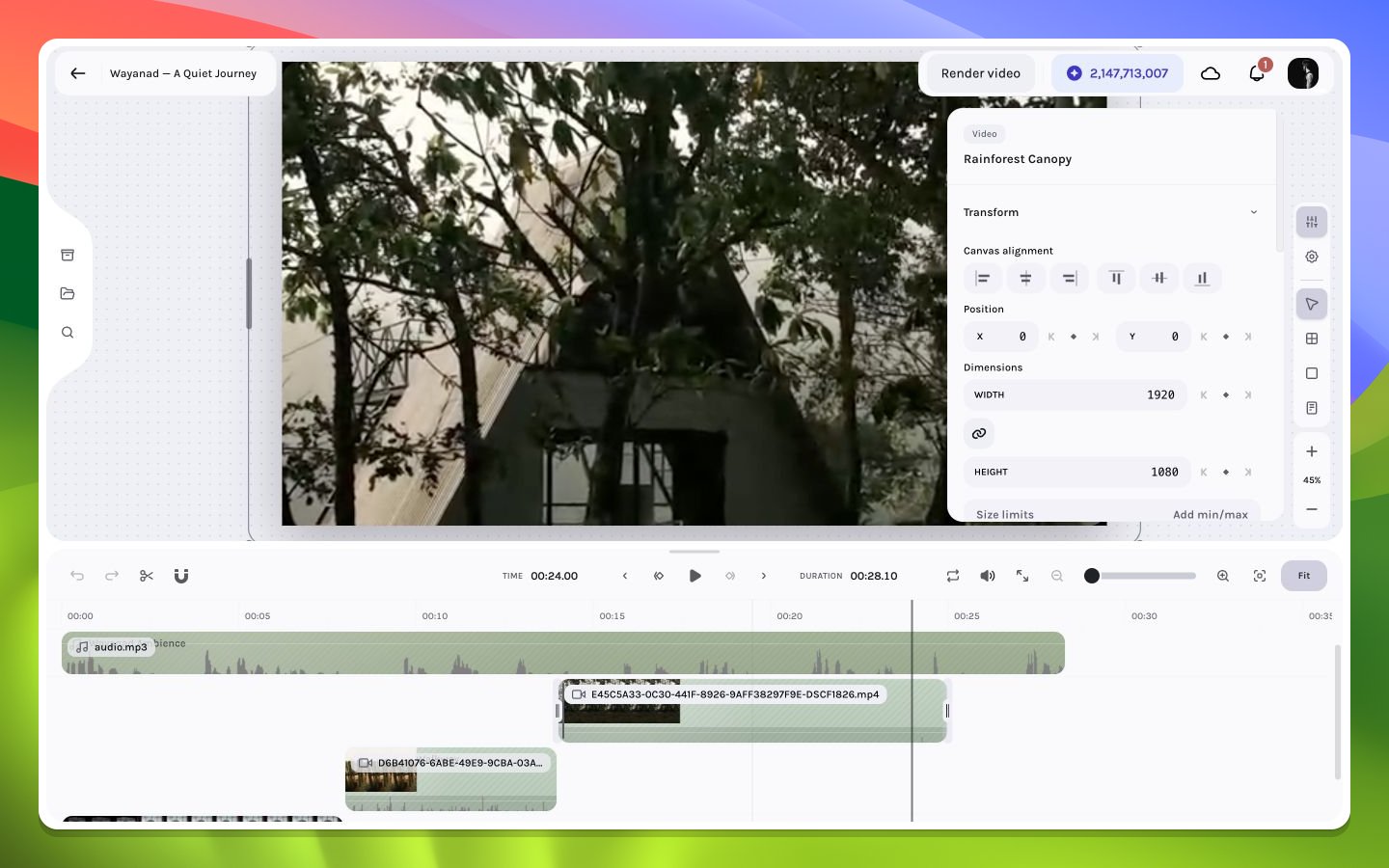
A video layer exposing transform controls
Rail destinations and tools
The visible tooltip is the authority for a control’s current shortcut. Common labels include Inspector (
⌘7), Canvas settings (⌘8), Select (V), Frame (F), Solid (R), and Text (T). Input focus can reserve these keys for typing.
Inspector resolution order
Collapsed sections preserve vertical space. Expand only what the current task needs; for example, keep Transform and Crop open during reframing, then switch to Effects and Shadows during finishing.Open, close, and scroll lifecycle
Selecting an inspectable layer normally opens the Inspector automatically. If you close it manually, that choice is sticky: later selections do not force it open again. Reopen it from the right rail or withCmd/Ctrl+7. Pressing Escape closes the active inspector/panel before lower-priority selection clearing takes over.
The Inspector remembers vertical scroll independently for the active item or keyframe-selection key. Returning to a previously inspected target can therefore restore the section you were viewing instead of always starting at the top. When teaching or diagnosing an edit, name the section as well as the layer—two users can select the same layer and see different scroll positions or collapsed sections.
See the property matrix for a type-by-type inventory.