

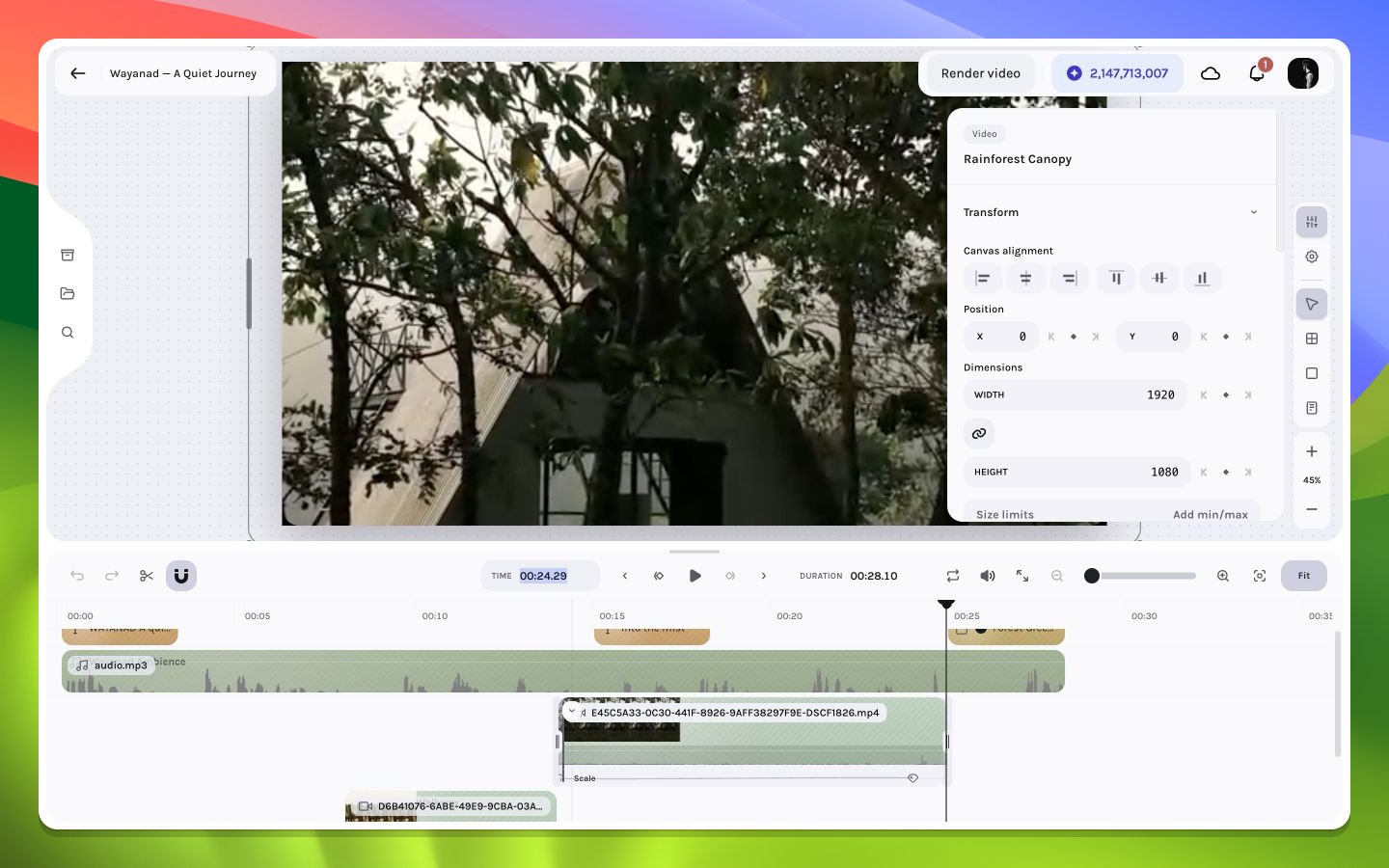
Jumping to a precise timeline timecode
Timecode to frame
At frame ratefps, a time in seconds maps to a frame near:
Navigation methods
Current-time input grammar
Click the Time readout to replace it with an input. The parser accepts absolute positions and signed offsets:
Two-part clock input is
MM:SS with an optional frame suffix on seconds; three-part input is HH:MM:SS with the same optional suffix. The suffix separated by ., :, or ; is a frame count within the second, not a decimal fraction. It must be less than the rounded FPS. Minutes/seconds are range-checked where the grammar requires them.
Every result is rounded and clamped to [0, durationInFrames - 1]. An invalid value stays in the field and shows examples rather than seeking.
While editing, Up/Down steps the draft value by one frame and Shift+Up/Shift+Down steps by one rounded second. Enter or blur commits; Escape cancels and restores the existing playhead.
Boundary inspection pattern
For a cut at frameF, inspect F - 1, F, and F + 1. The outgoing clip should own the expected last frame and the incoming clip the expected first frame, with no accidental gap or overlap artifact.
At an exclusive clip end, the layer is no longer active. Seeking to the number shown as its end can therefore display the next clip or the composition beneath it.